Home Assistant Podcast· Folge 240
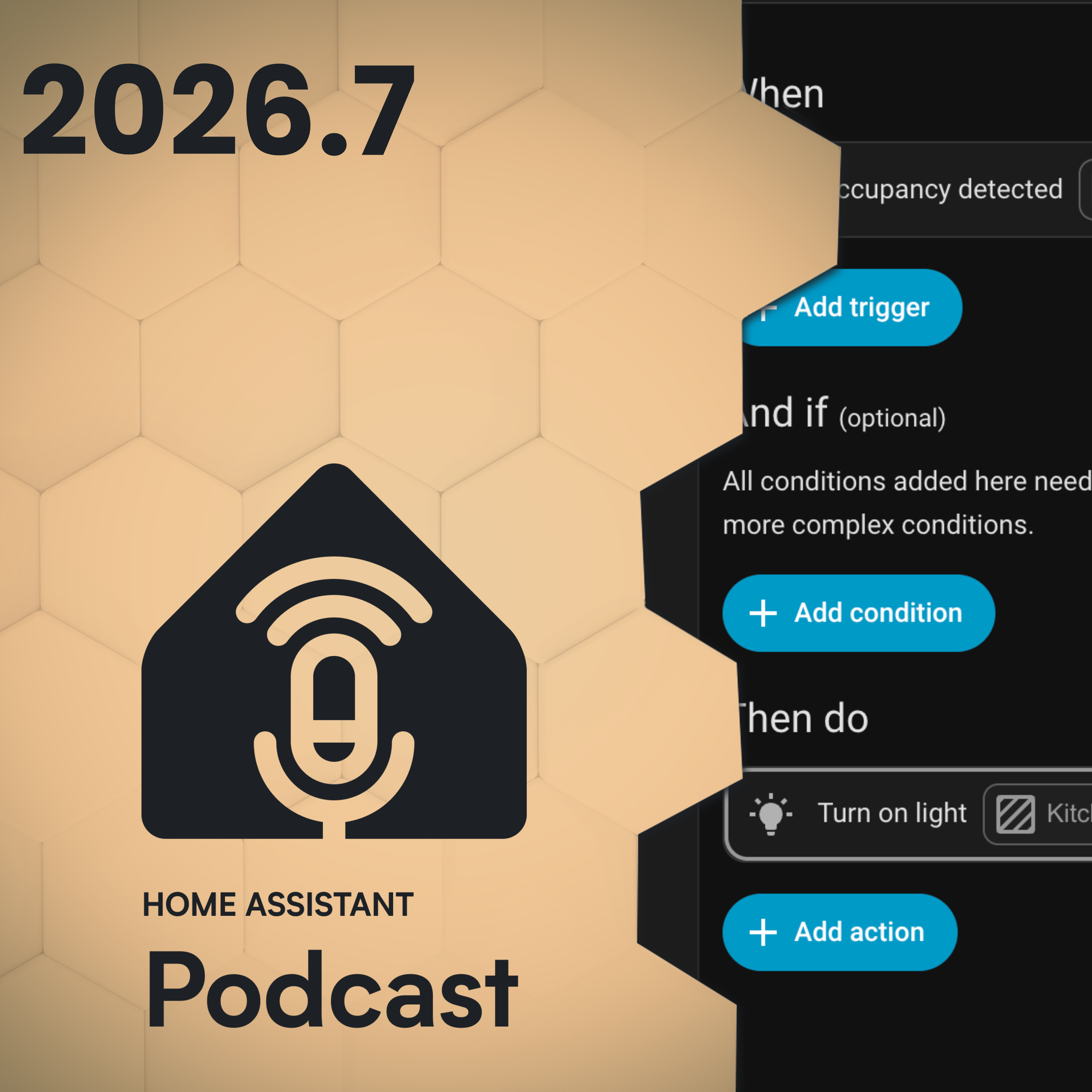
Home Assistant 2026.7 Brings The Biggest Automation Upgrade Yet
· 56 min
Kapitelklicken springt direkt hin
Shownotes
<p>Phil and Rohan unpack the massive 2026.7 release, including purpose-specific triggers and conditions graduating from Labs, the move to Matter.js, faster templates, improved dashboards, and better debugging tools. They also discuss mailbag comments and Rohan’s progress on his e-ink display.</p><p><br></p><p><a href="youtu.be/GVM042mi5s0"; rel="nofollow">Watch this episode on YouTube</a></p><p>Show notes for this episode are available at <a href="homeassistant.fm/HA240"; rel="nofollow">homeassistant.fm/HA240</a></p><… the Podcast</strong></p><p>Get early-access to episodes and an ad-free feed by supporting our Patreon.</p><p><a href="homeassistant.fm/patreon"; rel="nofollow">homeassistant.fm/patreon</a></p>&l… your story</strong></p><p>We wouldn't be able to do this podcast without community members and home automation enthusiasts sharing their stories. To register your interest to come share your home automation journey, head over to <a href="homeassistant.fm"; rel="nofollow">homeassistant.fm</a> and click <a href="homeassistant.fm/guest-registration"; rel="nofollow">share your story</a>.</p><p><br></p><p><strong>Chapters</strong></p><p>00:00:00 Intro</p><p>00:02:10 Unify 2026 recap</p><p>00:10:45 Listener feedback and Yoto</p><p>00:28:40 E-Ink project update</p><p>00:32:43 Home Assistant 2026.7</p><p>00:40:52 Updates and integrations</p><p>00:50:40 Breaking changes and wrap-up</p><p><br></p><p><strong>This episode was made possible thanks to our sponsors</strong></p><p><a href="nabucasa.com"; rel="nofollow">Home Assistant Cloud by Nabu Casa</a></p><p>Easily connect to Google and Amazon voice assistants for a small monthly fee that also supports the Home Assistant project. Sign up for your free trial in your Home Assistant system: <a href="my.home-assistant.io/redirect/cloud/"; rel="nofollow">my.home-assistant.io/redirect/cloud/</a>; or visit <a href="nabucasa.com"; rel="nofollow">nabucasa.com</a></p><p><b… href="thesmartesthouse.com"; rel="nofollow">Zooz</a></p><p>If you're looking to upgrade your smart home - you can’t go past Zooz! Zooz offers a range of affordable and innovative devices, including water leak sensors, water valve controllers, smart plugs and scene controllers.</p><p>For the best prices on all Zooz products, head over to <a href="thesmartesthouse.com"; rel="nofollow">thesmartesthouse.com</a></p><p&… href="apolloautomation.com"; rel="nofollow">Apollo Automation</a></p><p>Apollo Automation are the makers of open source smart home sensors built for the Home Assistant ecosystem. They're an official Open Home Foundation commercial partner and their devices are built with local control, privacy, and reliability in mind, giving you full control and flexibility right out of the box.</p><p><br></p><p><a href="amazon.com/shop/homeassistantpodcast"; rel="nofollow"><strong>Products we Recommend</strong></a></p><p><br></p><p><br></p><p><strong>Hosts</strong></p><p>Phil Hawthorne</p><p><a href="philhawthorne.com"; rel="nofollow">Website</a></p><p>Twitter: <a href="twitter.com/philhawthorne"; rel="nofollow">@philhawthorne</a></p><p>Bluesky: <a href="bsky.app/profile/philhawthorne.com"; rel="nofollow">@philhawthorne.com</a></p><p><a href="buymeacoff.ee/philhawthorne"; rel="nofollow">Buy Phil a Coffee</a></p><p><br></p><p>Rohan Karamandi</p><p><a href="karamandi.com"; rel="nofollow">Website</a></p><p>Twitter: <a href="twitter.com/rohank9"; rel="nofollow">@rohank9</a></p><p><a href="buymeacoff.ee/rkaramandi"; rel="nofollow">Buy Rohan a Coffee</a></p><p><br></p><p><br></p><p>This video contains Amazon affiliate links. If you click on one of them and make a purchase, we may earn a commission at no extra cost to you. As an Amazon Associate, we earn from qualifying purchases.</p><br/><br/>Privacy & Opt-Out: <a href='redcircle.com/privacy'>https://redcircl…;
Transkriptvom Podcast bereitgestellt · Zeitmarken springen hin
[SPEAKER_00]: Hello and welcome to Homelessness and Podcast as usual. [SPEAKER_00]: My name is Rohan and I'm joined with my friend, Phil. [SPEAKER_00]: Hey, Phil. [SPEAKER_00]: Hey, where are you? [SPEAKER_00]: How are you doing? [SPEAKER_00]: Good. [SPEAKER_00]: Do an episode 2026.7 today. [SPEAKER_00]: So that's exciting.
[SPEAKER_00]: Before we get started though, here's a quick word from our sponsor, Homelessness and Cloud by Nabukasa. [SPEAKER_00]: If you have ever tried to set up remote access to hardware, dynamic DNS, reverse proxies, self-signed search, now because as the easy button, sign up, flip a switch, done, and you can access your home assistant from anywhere.
[SPEAKER_00]: What's more is that you also get secure off-site backups, voice control with the Amazon Echo or Google Home devices, and the ability to supercharge your DIY voice assistant. [SPEAKER_00]: And here's a part we love. [SPEAKER_00]: Your subscription pays the developers behind home assistant, ESP home, and the open home foundation.
[SPEAKER_00]: It's the best few dollars a month you'll spend on your smart home. [SPEAKER_00]: Start your 31-day trial today, just open home assistant settings, and go to the cloud page or just sign up at nabukaside.com, we'll put the link in the description for you. [SPEAKER_00]: This episode is also sponsored by our friends at Apollo Automation, makers of smart home sensors, open source smart home sensors, built for the home assistant ecosystem.
[SPEAKER_00]: Their official open home foundation commercial partner, and their devices are built with local control, privacy, and reliability in mind, almost everything they offer is works with home assistant and made for you as be home certified, giving you full control and flexibility right outside the box.
[SPEAKER_00]: and the best part, they build up the open, working directly with their community to create sensors that people actually need. [SPEAKER_00]: If you're deep into homelessness or even just getting started, definitely check them out at ApolloAutomation.com. [SPEAKER_00]: All right, Phil, let's get into it.
[SPEAKER_00]: We want to give a shout out to our new Patreon members too. [SPEAKER_00]: TJ and William, so thank you. [SPEAKER_00]: Yeah. [SPEAKER_01]: Thank you. [SPEAKER_01]: And I'll have to say people, but people that are supporting us on Apple Music really to appreciate that as well. [SPEAKER_01]: And of course, YouTube, maybe as well.
[SPEAKER_01]: So yeah, thank you, Phil. [SPEAKER_01]: Thank you, guys. [SPEAKER_01]: Uh, run this couple of upcoming meetups, uh, coming up, um, July 2nd, uh, which I'm guessing by the time this episode's out might be yesterday, uh, so there's a online and Denmark digital meetup, um, and, uh, [SPEAKER_01]: Interestingly, there's one down under, but don't really get many made-ups down here in Australia, but in Sydney, if you're in Sydney, July 29th, there is an in-person made-up.
[SPEAKER_01]: We'll leave links in the show notes to those pages. [SPEAKER_01]: Please, RSFP if you're keen on going to one of those. [SPEAKER_01]: Yeah, now we're on, before we get into 2026 or 7 speed, busy month for both of us personally, and also letting podcasts as well. [SPEAKER_01]: You actually went to Austin for a week to unified 2026.
[SPEAKER_01]: I don't know, like, I wasn't. [SPEAKER_01]: I push it, I couldn't go, tell me you about it, what did you, was unified 2026 all about? [SPEAKER_00]: Yeah, so unified is held by CSA, the connectivity standards alliance, right? [SPEAKER_00]: So they're the folks behind Zigbee, Matter, and Lero, those are the three most common standards.
[SPEAKER_00]: They've also got a couple of other things under their stack, but [SPEAKER_00]: those are the three most prominent things that kind of us as everyday users would use. [SPEAKER_00]: They've also got some security standards under them and such as well to say, hey, how can we normalize kind of what local requirements are government requirements?
[SPEAKER_00]: And so on. [SPEAKER_00]: So if you get this one certification, you can go as a device manufacturer. [SPEAKER_00]: I mean, you can go and sell to all of these different countries. [SPEAKER_00]: You kind of already pass that bar. [SPEAKER_00]: So that's who the CSA is, and we were invited, they don't really invite media to these kind of things.
[SPEAKER_00]: We ourselves are, yeah, ourselves as well as a couple of other creators we're invited for the first time. [SPEAKER_00]: So if you follow Shane Wattley, Jimmy from Automated House, who we've had on the podcast before, Ryan from this smarthouse, who have also had on the podcast, Jennifer, to be from the purge.
[SPEAKER_00]: So there's a few of us, Eric, really nervous there too. [SPEAKER_00]: And so, you know, the kind of just wanted to open up to us rather than us typically hearing from, [SPEAKER_00]: other sources, right? [SPEAKER_00]: Just to understand, you don't wear the standard you're going and so on, right?
[SPEAKER_00]: I'd say, you know, from the biggest thing, I mean, I learned that what I just mentioned about the security standards they have, I didn't know that existed at all, and apparently it's a thing. [SPEAKER_00]: Um, but also, you know, it was cool because you get to talk to some of the vendors, right?
[SPEAKER_00]: Like, um, there were folks from, I don't know, like, Dyson there and there are folks from just all these other, um, alliance members there. [SPEAKER_00]: And, and they had a lot of networking time, which is nice, right? [SPEAKER_00]: So you go there, you're walking around. [SPEAKER_00]: You're like, hey, I'm around here and I do this and they're talking to you.
[SPEAKER_00]: I was like, oh, I'm, I'm this person from this company and, and this is what we're doing. [SPEAKER_00]: And this is our thoughts on matter. [SPEAKER_00]: and a lot of that kind of stuff. [SPEAKER_00]: Now, obviously, these are all alliance members, so they're all pro-Zigby or pro-Matter, right?
[SPEAKER_00]: But I think, you know, it's getting to the point where, you know, at least from what I'm seeing, Matter support is becoming a lot more mainstream, right? [SPEAKER_00]: And a lot more diverse as well, like in terms of what they're offering. [SPEAKER_00]: So that was a pretty cool thing to see as we connected.
[SPEAKER_00]: I mean, for forget the keynote, so there were a couple of fairly interesting ones, but just talking to the other people that are actually making these devices or building the stacks within, that was something that I thought was interesting. [SPEAKER_00]: Yeah, there was quite a few talks around where the standards going, what's happening with those things, Thread came in, which is technically a different consortium, but so they had some of their partner consortiums as well.
[SPEAKER_00]: Thread's actually building a really, they're building the framework for a new app, or it's in test flight for iOS users, or you can just download [SPEAKER_00]: download it for for Google users, where it's basically for kind of an advanced troubleshooting kind of tool, right? [SPEAKER_00]: So where they're saying, okay, you know, like, here's a here's your thread map and then behind here, this is what's happening and if you're trying to troubleshoot something.
[SPEAKER_00]: And the end is fully open source and the idea is how can somebody, like, let's say your you are a home assistant or your building home assistant, your building, your own platform, [SPEAKER_00]: Or even if you're in a car or somebody like that right building building devices, you can just say, hey, great, you know what, as part of my app, just click on this button and here's your advanced thread troubleshooting, just click on this and send us, you know, the capture of what you're seeing, and then from a troubleshooting perspective, our troubleshooting folks can go in and our support folks can go in and help out there.
[SPEAKER_00]: So there's a few things that were really interesting around that front. [SPEAKER_00]: even it's cool to see what some of the people are doing around like localization of Zigby and matter and those kind of things. [SPEAKER_00]: So for example, the CSA has local chapters. [SPEAKER_00]: Somebody who is there was the chapter from China, or the chapter representing China from the CSA.
[SPEAKER_00]: And I had a good chat with the person there and just around like, hey, like, [SPEAKER_00]: Why, what even is the point? [SPEAKER_00]: And it's a lot of it kind of comes down to like, hey, we need representation for our country or countries, what's right, it could be in jail as well. [SPEAKER_00]: And how we use matter and kind of bring to a lot of those things up and those kinds of things, right?
[SPEAKER_00]: So yeah, it was really, it was interesting. [SPEAKER_00]: There wasn't one of those things where it's like, [SPEAKER_00]: I mean, if you've ever been to CES or watch CES coverage, just like, hey, here's this cool crazy new thing, right? [SPEAKER_00]: Yeah. [SPEAKER_00]: It was less that.
[SPEAKER_00]: It was more like talking about improvements to the stack, getting like those kind of things. [SPEAKER_00]: And the allero folks were there too, which was really cool to talk about where they think allero is going. [SPEAKER_00]: and where they see kind of real-world use cases for it. [SPEAKER_00]: And if you're not familiar with Aliro, it's really the open standard kind of behind something like an apple home key, right?
[SPEAKER_00]: And it's really around how do you authenticate a person? [SPEAKER_00]: So whether it's using ultra wideband or NFC or something like that. [SPEAKER_00]: So Aliro kind of brings that into it. [SPEAKER_00]: And you got to hear from commercial, like lock makers that make locks or like hotels and like that kind of stuff, as well as more the residential type.
[SPEAKER_00]: So it was an interesting take because again, we typically don't see, like when we go to CES, it's a consumer electronic show, right? [SPEAKER_00]: Which obviously there are industrial companies that are applications there. [SPEAKER_00]: uh... is a primary focus is on on on that but on on commercial but um... yeah it was a different take to understand like hey like [SPEAKER_00]: You know, what's cool about matter is it does scale, right?
[SPEAKER_00]: What's cool about Zigbee is it does scale? [SPEAKER_00]: There's a lot of times we have these conversations where it's like, okay, well, you know, how does it scale? [SPEAKER_00]: How does it do this? [SPEAKER_00]: How does it do that? [SPEAKER_00]: But that's where, again, maybe less with Zigbee probably more with matter on how it scales and things like that.
[SPEAKER_00]: And even a Lero, which again, [SPEAKER_00]: when you're talking about a hotel's worth of door locks and not many locks in, let's call it, relatively confined area, how does a protocol scale to that, right? [SPEAKER_00]: So that's some of what was there. [SPEAKER_00]: Yeah, from content wise, I mean, there's a few things that we did that I captured, probably throw something up in a little bit just when I get time to sit down and go through it and edit it and stuff like that.
[SPEAKER_00]: actually what was really cool is one of the key notes that they had was just, again, it's with the person that I actually call the coin to term IoT. [SPEAKER_00]: Oh, really, that's good. [SPEAKER_00]: Yeah, so which was really neat. [SPEAKER_00]: Again, it hit home for me, both from the podcast and home automation and that kind of stuff.
[SPEAKER_00]: But you are professionally, right? [SPEAKER_00]: And you know, why, how did we get to this point and those kind of things? [SPEAKER_00]: So myself and Ryan from this smart house sat down with them. [SPEAKER_00]: basically had like a impromptu like 30 minute interview that which was really neat.
[SPEAKER_00]: And I think, you know, some probably might just, I might just throw up the whole interview just to say, hey, like here's rather than a couple of sound bites to say, hey, here's, here's what happened. [SPEAKER_00]: Here's, you know, how we got to this point and where we think it's going.
[SPEAKER_00]: And it was really cool to see that [SPEAKER_00]: you know, we've talked about, like on the show, we've talked about accessibility and a lot of those kind of things so many times, aging in place and all that. [SPEAKER_00]: So, and it's really cool to see how he shares that vision as well, and that's kind of a little bit of spoiler, but that's kind of where he wants to see, but yeah, well, we'll see if we can get that out of it or down and or just minimally added it down and post that [SPEAKER_01]: Yeah, so no big announcements then, like no apart from the debugging.
[SPEAKER_00]: New version of matter, again, nothing really to be like, oh my god, this is like groundbreaking, right? [SPEAKER_00]: Yeah. [SPEAKER_00]: And I don't think that's what it was meant to be. [SPEAKER_00]: Even Zigbee, kind of, Zigbee's solid, right for what it is. [SPEAKER_00]: Um, and, uh, but, but it, but it is, it is funny to see a little bit of competition to the right, because I, I had to be the guy in the room to be like, machine, like, how do you guys see Z wave, right?
[SPEAKER_00]: And all of this. [SPEAKER_00]: And, and, and, and, and, you know, you get into the little bit of competitive, uh, [SPEAKER_00]: B, right? [SPEAKER_00]: And it's like, and it's like, oh, well, I think these better. [SPEAKER_00]: It's like, oh, okay, cool. [SPEAKER_00]: Why, right? [SPEAKER_00]: And so so some actually here's something interesting is Zigby is doing some longer-engined stuff as well.
[SPEAKER_00]: You know, yeah, yeah, yeah, so I think we're going to start seeing that it's probably not going to be as common whereas. [SPEAKER_00]: Um, for me, I'm, you know, at least from our lens, we're seeing pretty much anything, uh, z waves 700, 800 is kind of, got to have longerage capabilities, right?
[SPEAKER_00]: No matter when the devices, it will have that mode, whether the device itself supports it or not, is, is different, but. [SPEAKER_01]: said we have a lot of we're saying kind of everywhere for even things that probably don't need it just because it supports it right well lucky if you're a North American or Europe yes you're getting that long range capability right if you're not I'm sorry [SPEAKER_01]: Yeah, but that's cool.
[SPEAKER_01]: So, but I mean, Zigbee is like a very like a bailout for the frequencies in international, right? [SPEAKER_01]: So if they can bring a long range Zigbee and they've already got the international capabilities, right, on the frequencies of that. [SPEAKER_01]: But I would be interested right?
[SPEAKER_01]: I would love to see how far Zigbee could travel on that spectrum. [SPEAKER_00]: Yeah, yeah, exactly. [SPEAKER_00]: So, you know, there's a couple of, oh, God, we're getting into, like, yeah, this time is a podcast where we'll have to, yeah, let's, you're right, but, no, that is fascinating.
[SPEAKER_01]: I would, yeah, I'm gonna watch that space. [SPEAKER_01]: That's for sure. [SPEAKER_00]: Yeah, I don't know how far that is from becoming reality, but there's a little bit of talk about it. [SPEAKER_01]: I guess, well, something to watch this space with, I guess. [SPEAKER_01]: 2026.7, before we get into that, we do have some feedback from some previous episodes.
[SPEAKER_01]: Bill Chapp was running back to me. [SPEAKER_01]: I was talking about in the last episode how I'm potentially thinking about restarting homelessness from scratch and creating a whole fresh instance. [SPEAKER_01]: I feel I very much faced the challenge. [SPEAKER_01]: of a super strong desire to start over with a fresh build of home assistant.
[SPEAKER_01]: I recently upgraded by mini PC, home assistant instance because it was old and struggling to keep up. [SPEAKER_01]: However, when I looked at the time and effort, it would take to get all of my smart devices reintegrated, then begin reimagining my home. [SPEAKER_01]: I was overwhelmed. [SPEAKER_01]: I believe we're not mentioned living with two home assistant instances for a while, which could be a great way to step into a new build like this.
[SPEAKER_01]: I chose a simple route and I miss it back up to new devices where incredibly, uh, upgrade the world. [SPEAKER_01]: Um, thanks a discussion. [SPEAKER_01]: It gave me thoughts, but how to do that in the future. [SPEAKER_01]: Um, I have been doing this. [SPEAKER_01]: I haven't started anything since, um, I last mentioned it in 2026.6.
[SPEAKER_01]: I, doesn't turn for a month next week that I've realized that you know what? [SPEAKER_01]: I do not have the time to go and repair all of my ZXP and all of my ZXP ware devices. [SPEAKER_01]: ZXP ware company do like a transfer of ZXJS, which actually I will do a transfer of ZXJSUI to the OS ZXJSUI.
[SPEAKER_01]: And then run there's a migration script to convert from ZXJSUI to ZXJS, the add-on. [SPEAKER_01]: I'll do that, but yeah, I don't have the time to go and repair everything. [SPEAKER_01]: I think it's going to get at his other problem, not because of the backup system, makes it so simple for me to just literally go restore from backup.
[SPEAKER_01]: So that's going to be my mission, I'm not doing it yet. [SPEAKER_01]: just a lot of things going on at the moment, so I haven't had a chance to do it, but yeah, that is well, eventually just a microdoge, just a new hardware, and then start cutting all the old stuff out one by one. [SPEAKER_01]: So yeah, that's where I'm added.
[SPEAKER_01]: So yeah, thanks Bill for basically confirming my gut feeling at the end there. [SPEAKER_01]: Yeah. [SPEAKER_00]: Saturn 28 88 says, is it not normal to add more sensors? [SPEAKER_00]: I have many sensors in each room, PIR and millimeter wave in different millimeter wave sensors. [SPEAKER_00]: Some even have z-axis.
[SPEAKER_00]: Some are here for stationary summer for moving. [SPEAKER_00]: Some of these are in a single sensor, but no room has just one. [SPEAKER_00]: I even use my thermostats for sensors and that don't close the garage on me foot sensor. [SPEAKER_00]: I use what I can. [SPEAKER_00]: It's great with three kids.
[SPEAKER_00]: Yeah, I agree. [SPEAKER_00]: I mean, I think ultimately I would love to have a single sensor that just does just one thing. [SPEAKER_00]: I don't know that we're necessarily there yet. [SPEAKER_00]: Even PIR versus millimeter wave has trade offs, right? [SPEAKER_00]: And that's why you're seeing some of the newer millimeter wave sensors that have PIR's built into them to say, okay, you know what, this is quicker.
[SPEAKER_00]: This is better for longer term, you know, and then doing that kind of thing, right? [SPEAKER_00]: Yeah. [SPEAKER_01]: Yeah, I think the classic one is the sleep sensor, right? [SPEAKER_01]: A little bit of people just put like a pressure sensor under a mattress. [SPEAKER_01]: That's second to the sensor, right?
[SPEAKER_01]: Now you're not just using motion, you're using pressure or white senses or whatever else. [SPEAKER_01]: Yeah, I think. [SPEAKER_01]: Yeah, when you get into it, it does become a problem when you have too many sensors and ones not reporting correctly or one sort of flat battery and it's stuck in it on status.
[SPEAKER_01]: But yeah, use the the right way, multiple sensors can be the way to go. [SPEAKER_01]: When you're trying to deal with [SPEAKER_01]: you know complex automations or complex states. [SPEAKER_01]: A Bayesian census also come into a great use case to probabilities if all of these senses are on something's happening.
[SPEAKER_01]: Rough Ashillers has five litter robots in their house. [SPEAKER_01]: They've got 11 cats and their automation is when a cat box has been used So they must have a be able to identify which particular litter box has been used The vacuum is dispatched to clean a 3 by 3 square Meals foot front of it square in front of that particular box.
[SPEAKER_01]: So yep [SPEAKER_01]: I like that. [SPEAKER_01]: That's a good use case for. [SPEAKER_00]: Yeah, I assume the litter. [SPEAKER_00]: I don't know. [SPEAKER_00]: It's got litter. [SPEAKER_00]: I guess it's called litter. [SPEAKER_00]: Yeah, kitty litter kind of gets. [SPEAKER_00]: Yes, I step out of this and then like their paws like it scrunched up and yeah, jump off and where it goes.
[SPEAKER_00]: Yeah, I have a two year old. [SPEAKER_00]: I know how sand works. [SPEAKER_00]: LTR telcontar says, uh, been a faithful podcast listener for a few years, loved a show. [SPEAKER_00]: Thank you. [SPEAKER_00]: Uh, as someone who's been a Yodo user for a few years, as well. [SPEAKER_00]: And really excited to see the official support in home assistant, I was surprised that you were so negative on it.
[SPEAKER_00]: Uh, this isn't the only emails are note saying this, by the way. [SPEAKER_00]: So I, I, I need to get better with this. [SPEAKER_00]: I've been using the hacks components since the first started and it's great allows you to control the media light colors you battery level and bunch of other controls.
[SPEAKER_00]: I think the official integration has only media control to start. [SPEAKER_00]: I use it to detect when my kids start playing music on the Yoda and if music is already playing on the TV. [SPEAKER_00]: I get a notification to pause when. [SPEAKER_00]: I also auto start to sleep music when we press the kids bad time scene.
[SPEAKER_00]: That's which is actually a ring. [SPEAKER_01]: Yeah, that's good on the machine. [SPEAKER_00]: Yeah, call there. [SPEAKER_00]: Yeah. [SPEAKER_00]: In regards to the device itself, yes, it's kind of expensive, but I think of it as the modern-day iPod for kids. [SPEAKER_00]: Those are in the same price range back in the day.
[SPEAKER_00]: Of course, buying the cards is expensive, buying CDs is a similar price. [SPEAKER_00]: Fair. [SPEAKER_00]: What I do is use the make your own cards and load my own media on to them. [SPEAKER_00]: And yes, you can find generic MIO cards or MIO cards online for much cheaper. [SPEAKER_00]: If you have a device, it's worth investing in this path.
[SPEAKER_00]: Um, I'll read the other other two, uh, cards and two. [SPEAKER_00]: I also didn't realize my take would be this hot. [SPEAKER_00]: So, uh, you know, I think I shared with you this title. [SPEAKER_01]: So, uh, don't take all the blame. [SPEAKER_01]: Uh, Bob, the blame. [SPEAKER_01]: Yeah, yeah, I think, uh, from the feedback we've got, I think the Yoda device was very polarizing, uh, in either, you're either in the, yes, this is a, uh, [SPEAKER_01]: a good product and I don't mind the expense or it was a yeah you're absolutely like the Yoda is expensive and we could do the same thing in my assistant for half the price.
[SPEAKER_00]: Yeah let me read the other two and then I'll address it right and so there's now we're going into emails so Jake sent an email great cheers great show is always I was excited to see the Yoda that Yoda's in the title and glad it could get a shout out [SPEAKER_00]: sorry, especially those with kids.
[SPEAKER_00]: I was sad to hear the negativity around it, yes, the device is definitely not cheap at the time of sending. [SPEAKER_00]: It looks like it's the big players about 110 bucks and the portable mini is around $80. [SPEAKER_00]: But it's far from the most expensive smart tech I've purchased, especially without a subscription.
[SPEAKER_00]: Okay, I agree with that. [SPEAKER_00]: You can also purchase [SPEAKER_00]: where you can add any audio of your choosing. [SPEAKER_00]: These cards are also reusable, so you can update unused cards to something new when the kid gets bored of it. [SPEAKER_00]: And Jake also has his Yodo integrated with the home assistant, but it's home dashboard, which is displayed using a 21 and a half inch of all assigned digital calendar, which looks really neat, yeah.
[SPEAKER_00]: And on the other side of the, [SPEAKER_00]: spectrum. [SPEAKER_00]: I guess pseudo-siding with us here, not not to make this up a side thing. [SPEAKER_00]: Dave says, I feel in Rohan, I was listening to your latest episode, I'd love to show by the way. [SPEAKER_00]: Thank you. [SPEAKER_00]: And your discussion about the lock-in frustrations surrounding the Yoda player really resonated with me.
[SPEAKER_00]: I couldn't deal with the $50 record, knowing they're going to turn off services eventually, so I built each kid a custom jibbox sent to the run home assistant. [SPEAKER_00]: Hardware is a cheap $1 RFID tag reader from AliExpress powered by USB home. [SPEAKER_00]: It's housed inside a custom 3D printed enclosure that also nets a Google home mini speaker.
[SPEAKER_00]: That is actually really good. [SPEAKER_00]: Media-wise, I am bed standard RFID stickers onto 3D printed figures, which magnetically snap onto the jukebox to trigger playback. [SPEAKER_00]: Also, very cool. [SPEAKER_00]: Software Homosystem coordinates the entire automation. [SPEAKER_00]: It relies heavily on music assistance to manage and write the audio from local tracks, Spotify, Plex, and audio bookshelf.
[SPEAKER_00]: All right, first of all, thank you to all three of you. [SPEAKER_00]: And I genuinely do value the opinions to address the negativity. [SPEAKER_00]: Okay, maybe I was a little harsh on the air about it. [SPEAKER_00]: I do still stand with what I said, but I concur that if you're willing to spend whatever the cost of the device plus the card, [SPEAKER_00]: Absolutely, and in no way am I am I saying you shouldn't do that.
[SPEAKER_00]: I'm just saying, you know, I personally don't want to do that. [SPEAKER_01]: You are, you, you, you, you, you are together. [SPEAKER_00]: But I just, I do own it. [SPEAKER_00]: Again, that was that was a that was a losing battle for me and and maybe it's just one of those things where it's like it's especially as people in this.
[SPEAKER_00]: format where you're like yeah you know like and and we hang out around a lot of DIYers and stuff like that and it's like [SPEAKER_00]: Oh, I could build this for like, had bucks, right? [SPEAKER_00]: Yeah. [SPEAKER_00]: And exactly what Dave said, which is like, tie it in the music assistant and have more control.
[SPEAKER_00]: I think, I think, you know, there's all of this, but also the big part of it, and Dave actually called it out as well, is the lock-in, right? [SPEAKER_00]: Around if they turn around and start to say, and lock-in is one thing fine. [SPEAKER_00]: It's like, sometimes we don't really have a choice.
[SPEAKER_00]: We get locked into a specific ecosystem. [SPEAKER_00]: but the ability for them to turn it off and will Yoto be this massive conglomerate that probably has no chance of shutting down. [SPEAKER_00]: Maybe I don't know, right? [SPEAKER_00]: But I don't know that Vanessa would want to take that risk for a device priced up this range if that makes sense.
[SPEAKER_00]: Um, I also do kind of think and and understanding, you know, even some of what Dave mentioned around, you know, it is, it is that you can cheerful. [SPEAKER_00]: Um, set up. [SPEAKER_00]: But there are other pieces here, right? [SPEAKER_00]: Like the 3D printed figures and stuff and, and obviously those are Dave's embellishments, right?
[SPEAKER_00]: Like, let's call it what it is. [SPEAKER_00]: Uh, you don't have to do it that way. [SPEAKER_00]: You can just take it, stick it on a, I don't know, like, I've got toy cars on my desk. [SPEAKER_00]: So stick it on a toy car and hey, this is, I don't know, Mary had a little lamb right. [SPEAKER_00]: So you don't necessarily have to go as deep into it, as Dave did.
[SPEAKER_00]: But I do, David, do you think what you did is super cool? [SPEAKER_00]: Yeah, I don't know, I mean, I still stand by kind of what I said around, for me, at least personally, the expense of what it is, is a lot higher than what it probably should have been or could have been. [SPEAKER_00]: But, you know, I get it, listen, as a product.
[SPEAKER_00]: That's fine. [SPEAKER_00]: My kid chucks it around and it's still like I got bottles will sleep with it. [SPEAKER_00]: It's fine. [SPEAKER_00]: It's good. [SPEAKER_00]: Like I and yes, I do like the fact that it is in in home assistant now. [SPEAKER_00]: Right. [SPEAKER_00]: And actually, um, they're they're their integrations scale quality scale just got bumped up to Yeah, but I forgot what it was before, but whatever the next level is.
[SPEAKER_00]: So there you go. [SPEAKER_00]: That's a little little nicer there too, but but yeah, I mean, [SPEAKER_00]: I hear it. [SPEAKER_00]: All right. [SPEAKER_00]: Okay. [SPEAKER_00]: Again, I didn't mean to come off super, super critical, which I probably did come off as, but again, I'm not in no way saying, don't do it.
[SPEAKER_00]: If you want to do it, absolutely go for it, right? [SPEAKER_00]: It's just not my thing. [SPEAKER_01]: Shut up, to getting the MyO and MyO cards on my, if you can, if you want to find some cheaper cards, then that's what I like to look at me now. [SPEAKER_00]: 100%. [SPEAKER_01]: Uh, Fritioff, I hope I pronounced your name, uh, correct there.
[SPEAKER_01]: Hey, we're having a fill. [SPEAKER_01]: I was out walking a bit yesterday and listen to episode 236 about the eink screens. [SPEAKER_01]: I also ordered the seed kit late February and I also got mine in early June. [SPEAKER_01]: I just wanted to let you know what I did with mine. [SPEAKER_01]: I built a battery powered photo frame, but with a twist.
[SPEAKER_01]: My end goal is to pick up who's visiting me and update the frames with pictures of that or those people. [SPEAKER_01]: That means that I need to be to update the image fairly quickly, so I design a system where I have an orchestrator that broadcasts I-Beacons if there is updates available for the frames.
[SPEAKER_01]: And the frame wakes up for now every 30 seconds and listens for the I-Beacon BLE message. [SPEAKER_01]: If it's there, the frame does a full boot of the Wi-Fi mode and just fetches the latest image or over the air update. [SPEAKER_01]: and they've written a blog post about this. [SPEAKER_01]: We'll leave a link over on home and send out a few of them in the show notes for this episode, where you can see some of the more details and the parts used around the eye-beacons and the hard work used to get that.
[SPEAKER_01]: That is actually really cool and it's a very fancy exercise. [SPEAKER_01]: I do like the ability, like the 30-second update interval. [SPEAKER_01]: Like that's always been one of the drawbacks of like Ian, right? [SPEAKER_01]: Like you have a dashboard update, [SPEAKER_01]: But it's delay by 20 minutes or something, whatever the update for the mutti is totally.
[SPEAKER_01]: So this is cool. [SPEAKER_01]: Ron, how have you been going with your ink project? [SPEAKER_01]: And I, you just got the old seed to deliver it. [SPEAKER_00]: This is, this is typically where Rowan says it's been put in the back burner. [SPEAKER_00]: But yeah, yeah. [SPEAKER_00]: It has not.
[SPEAKER_00]: I've gotten into a place. [SPEAKER_00]: It's unplugged right now for some of those of you that are watching it on YouTube. [SPEAKER_00]: You can see a ton of reflection here. [SPEAKER_00]: I've got it going on, this image was pushed from image via Home Assistant into the driver that is now running ESP home and displayed on the screen.
[SPEAKER_00]: So I've made really good progress with that there's still a couple of things I didn't take a couple of things that I need to iron out. [SPEAKER_00]: But yeah, and then just I've been traveling a lot for work these last couple of weeks and stuff like that. [SPEAKER_00]: So it's kind of taking them backseat because I didn't really want to travel with it in my backpack and potentially ruin it whatever.
[SPEAKER_00]: Yeah, it's going, it's going really well. [SPEAKER_00]: I am going to document all of this in a blog post, which I have mostly written up and had to read it like 17 times as I realized stuff wasn't working. [SPEAKER_00]: Yeah, ended up and I'm trying to document that whole thing just in case people want to do it, but my end goal is to say, hey, I'm going to just say here release this and it is a color E paper screen, which is really cool too.
[SPEAKER_00]: So, my end goal is to say, hey, look at this and if you want to build it yourself here, just download the code from GitHub and here's how it all works and [SPEAKER_00]: and essentially use the blog post as, as instructions on how to do it. [SPEAKER_00]: So that's kind of my idea. [SPEAKER_00]: I might, again, depending on time.
[SPEAKER_00]: I might maybe, maybe I'll take a couple of very quick videos or sometimes I may be toasting shorts up. [SPEAKER_00]: If you, if you care for me to do that, let me know and I know I will. [SPEAKER_00]: And yeah, it's coming along pretty swimmingly. [SPEAKER_00]: I also need to put it into an actual picture frame and make it a picture frame.
[SPEAKER_00]: And my last name. [SPEAKER_00]: So make it nice. [SPEAKER_00]: Exactly. [SPEAKER_00]: I actually got, I actually got, I think it was Gemini. [SPEAKER_00]: I don't know, something I'll allow them to generate me a 3MF so that I can just go in and down. [SPEAKER_00]: I think I don't know if it is 3MF.
[SPEAKER_00]: But whatever, I got it to cat out a picture frame for this. [SPEAKER_00]: And I was just like, hey, based on this, I haven't tried it yet. [SPEAKER_00]: Just because, again, my time has been split between my day job. [SPEAKER_00]: Traveling and all of that between Austin and what we just talked about in a couple of other places for work, but yeah, hopefully hopefully in a few weeks I can I can think settle down in a couple of weeks and I can smash this finish it off.
[SPEAKER_00]: Yeah, yeah, yeah, so but [SPEAKER_00]: Yeah, yeah, like it's it's writing like it literally wrote drivers for for this because this display is not supported in the SP home today. [SPEAKER_00]: So and and I wanted to I wanted it to be native. [SPEAKER_00]: Yes, be home wherever I can. [SPEAKER_00]: So that's it.
[SPEAKER_00]: My goal is to power it by a battery. [SPEAKER_00]: So I'll try a long time, whatever. [SPEAKER_00]: So you can try and see what I can get out of it. [SPEAKER_00]: But trying to get batteries up here, I've realized like higher capacity batteries is a somewhat challenging annoyingly. [SPEAKER_00]: So it's like there's like literally one choice and I don't trust that brand to not blow up.
[SPEAKER_00]: So well, here we go. [SPEAKER_00]: So that's gonna be my next challenge. [SPEAKER_00]: But that's it. [SPEAKER_01]: 2026.7. [SPEAKER_01]: The big news come out of this release is purpose-specific triggers and conditions have now graduated out of labs. [SPEAKER_01]: They are here. [SPEAKER_01]: It's probably the biggest change to automation's home assistant is ever seen.
[SPEAKER_01]: I think that is a [SPEAKER_01]: fair assessment, probably bigger than going from YAML to UI, because this is a fundamental change in the way automations are thought about. [SPEAKER_01]: Not the way that the structure like YAML is also supported, you can still make automations in the UI, but just the way that you [SPEAKER_01]: think about how to automate something.
[SPEAKER_01]: So it's almost like going anywhere and instead of needing to understand home resistance internal state model, users can now build automations based on how they naturally think. [SPEAKER_01]: So when motion is detected outside, turn on the outside lights. [SPEAKER_01]: The new triggers and conditions support home resistance targets similar to actions.
[SPEAKER_01]: home is now includes over 200 purpose-specific triggers out of the box. [SPEAKER_01]: This means automations can target areas, floors, devices, and entities. [SPEAKER_01]: So I'll trigger when motion is detected anywhere outside, turn on all the lights outside. [SPEAKER_01]: There's also an update that integrations can now also provide their own custom triggers and conditions.
[SPEAKER_01]: So, for example, in the future, an EV charger integration could expose example states of a cable being unplugged or a charging being started. [SPEAKER_01]: Energy utility integrations could expose the lowest price point of the day and custom integrations so things from hacks should also be able to provide their own triggers to this.
[SPEAKER_01]: Ron, have you been using the purpose-specific triggers and automations yet? [SPEAKER_01]: Have you [SPEAKER_00]: I haven't, I wanted to get ahead of it, and I think in terms of the last episode, I wanted to get ahead of it, and just so that I can do it before it gets into or out of the labs, I guess.
[SPEAKER_00]: Yep. [SPEAKER_00]: But here we go. [SPEAKER_00]: And it's here. [SPEAKER_00]: So I'm just getting a force into it, and yeah, I, again, transition wise, it should be fine. [SPEAKER_00]: Yeah, I'm not, I'm not worried about that very so. [SPEAKER_00]: One thing I find that the core team does really well is [SPEAKER_00]: building that transition area, like bridge from going from one thing to the other, where it's kind of seamless, right?
[SPEAKER_01]: Yeah. [SPEAKER_01]: And I mean, the next example is actually a perfect example of that. [SPEAKER_00]: So, Matter Server is now running stable using Matter.js. [SPEAKER_00]: So, if you're not familiar with Matter.js, it's it's a build from the ground up kind of, [SPEAKER_00]: application, I guess.
[SPEAKER_00]: It is replacing the matter server. [SPEAKER_00]: So today, or not today, I guess, the existing matter server, let's call it the legacy one. [SPEAKER_00]: It was built off of somebody else's code that homelessness was using. [SPEAKER_00]: I believe they, they, they, they, they, they, they, they, they, they, [SPEAKER_00]: give back to it and so on.
[SPEAKER_00]: But in this case, home assistant now controls that whole matter stacked directly. [SPEAKER_00]: And then so, you know, just a couple of things that they've been focused on, it's faster startup, more stable matter networks, and quicker bug fixing because now it's it's it's literally the team that's building home assistant that's that's owning it, right?
[SPEAKER_00]: So part of it, and I believe it's run by the open home foundation. [SPEAKER_00]: part of, uh, I said, uh, entities that manage home assistant. [SPEAKER_00]: Yeah. [SPEAKER_00]: Um, there's also a new visualization that's available in the Matter Server add-on. [SPEAKER_00]: Uh, so when you go to Settings, add-on's Matter Server, Open Web UI.
[SPEAKER_00]: Now, for this to get in, it's not part of the update. [SPEAKER_00]: You have to update your Matter Server, right? [SPEAKER_00]: So typically comes in as an add-on. [SPEAKER_00]: Maybe you have it running it separately in as a container and something like that. [SPEAKER_00]: And then so from there when you go into thread, you can now see how the matter and thread devices are communicating and so on.
[SPEAKER_00]: I don't actually know if this uses that same thread application that I was talking about earlier, that they showed in Unify, 2026. [SPEAKER_00]: But it is still nice that you can see that and get the visualization. [SPEAKER_00]: And you can also start to see things like threatened border routers and connected threat devices through just your entire network there.
[SPEAKER_00]: So all things considered, you know, we've known about this for a little bit now, but it is one of those things where it's finally here and it's finally saying, hey, let's let's just push it. [SPEAKER_00]: I did the update pretty much the day that they announced that this was going GA, just to see if anything would break and again talking about going from one system to another, transitioning it over well.
[SPEAKER_00]: I've not noticed any issues, though, again, don't take that as you won't notice any issues. [SPEAKER_00]: I've only got a few matter devices on that many, but I [SPEAKER_00]: Yeah, I don't know. [SPEAKER_00]: They went well, and I think it's good. [SPEAKER_00]: Did you upgrade already for?
[SPEAKER_01]: I've only got like one matter device. [SPEAKER_01]: Yeah. [SPEAKER_01]: So not real. [SPEAKER_01]: I don't know if the answer is no, I haven't upgraded yet. [SPEAKER_01]: Yeah, yeah, yeah. [SPEAKER_01]: Yeah, yeah. [SPEAKER_01]: See, there's my big impetus of wanting to move, like start a fresh route.
[SPEAKER_01]: I just start with purpose specific triggers, start with the latest manager server. [SPEAKER_01]: But no, I am not there yet, so no, I haven't upgraded matter, but as I when I do move over that so but I'm going to be bracelet operating everything so I will upgrade then and I'm also looking to starting a threat network.
[SPEAKER_01]: So I think this is the good time to do it now, this is available. [SPEAKER_00]: Yeah, I agree. [SPEAKER_00]: I think it's a good time if you haven't started it or if you're looking into matter and like that, it's a more tightly knit ecosystem I think now, right? [SPEAKER_00]: So you can kind of use that.
[SPEAKER_00]: And I believe as with everything the open foundation does, it is fully open source. [SPEAKER_00]: So other people can use it, you know, if a good, I don't know, like Samsung wants to [SPEAKER_00]: something like that, hold me, whatever, you can, I believe you can totally use that. [SPEAKER_00]: If you're so choose, so, here you go.
[SPEAKER_00]: I think you need to be on version nine.0.1 of the matter server. [SPEAKER_00]: So from that version onwards, it will be matter.js. [SPEAKER_00]: So if you don't want to move to it, don't upgrade past 901, or if you're just trying to be a little cautious of, you know, how you upgrade and things like that, [SPEAKER_01]: out, specifying of upgrades, if you're looking to upgrade your smart home, you really can't go past the zoos.
[SPEAKER_01]: They've got their 800 series Zwave long range power strip, the Zen 2800LR, so you can turn a single outlet into multiple, individually controllable smart sockets. [SPEAKER_01]: drop it under a desk behind your TV unit or ring your server rack to tame all those always on gadgets and still monitor and automate each outlet separately.
[SPEAKER_01]: It's perfect for things like network gear, charges, lamps, game consoles, anywhere you want more smart control without adding a bunch of separate plugs. [SPEAKER_01]: Zeus are also an official works with home assistant partner, and they've been helping Nabukasa by providing long range devices to test the home assistant connect ZWA2 radio.
[SPEAKER_01]: So, you know, you're in friendly hands. [SPEAKER_01]: Beyond that power strip, Zeus offer a full range of affordable, innovative devices, including water leak sensors, motorized water valve controllers, smart plugs, and sink controllers. [SPEAKER_01]: Plus there's N78, high power relay for loads up to 40 amps for poor pumps and air compressors.
[SPEAKER_01]: for the best prices on all zoos products head over to the smartesthouse.com, that's the smartesthouse.com. [SPEAKER_00]: Let's keep going. [SPEAKER_00]: From an update perspective, the update screens have been redesigned to group updates by category. [SPEAKER_00]: So now we'll get categorized as homicissandoas, homicissandoas, core, hacks, integrations and cards, other integrations, apps or add-ons, and then stuff that won't get updated directly from the screen.
[SPEAKER_00]: So maybe if you have a custom component that you've added manually from GitHub or something like that, right? [SPEAKER_00]: And there's an update all button now where it makes sense. [SPEAKER_00]: Again, row hands disclaimer, read the release notes, read it, read each thing, make sure you know what you're updating and read the zoning issues, right?
[SPEAKER_00]: So, but home assistant tries to avoid unsafe bulk updates like trying to update the OS and the core together, so because, again, that can, that can, that can, that can. [SPEAKER_00]: conflict and instruct the other upgrades. [SPEAKER_00]: So yeah, I mean, that's great. [SPEAKER_00]: I mean, for me, I, as much as I say, hey, here's my disclaimer, don't do this.
[SPEAKER_00]: I definitely just did this before we start recording. [SPEAKER_00]: Yeah, but without reading it, this went update update update update update, but I like that there's an update all button and it is somewhat intelligent behind there, right? [SPEAKER_00]: So [SPEAKER_01]: There's new time and sun triggers and conditions.
[SPEAKER_01]: So there is now a dedicated time section in the new condition pick-up. [SPEAKER_01]: New sun-based triggers and conditions include more precise astronomical events. [SPEAKER_01]: For example, there's now Sunrise. [SPEAKER_01]: Sun elevation changes, dawn, dusk, civil twilight, [SPEAKER_01]: Offsets, like 30 minutes after sunrise, are still available through the older trigger methods, but they're not currently part of their new simplified sunnet triggers.
[SPEAKER_01]: So good to see more of those conditions and triggers being added. [SPEAKER_01]: But yeah, looks like [SPEAKER_01]: If you're still relying on the 30 minutes after sunrise, which I do, like those offsets, I do have a lot of great, which is the old sun dot sun entity, I'm guessing, or platform.
[SPEAKER_00]: Yeah, exactly. [SPEAKER_00]: I'm pretty sure I did do so. [SPEAKER_00]: Now, when we're talking about unavailable states or unknown states, normally what can happen is that that state trigger can fire unexpectedly and if an entity changed from unavailable to whatever, it could create weirdness in your automations and potentially false automations, right?
[SPEAKER_00]: Our false triggers for your automation. [SPEAKER_00]: What's cool is purpose-specific triggers actually avoid a lot of these false positives. [SPEAKER_00]: So for example, if a motion trigger should fire because a motion was detected, not because the sensor briefly went offline and came back.
[SPEAKER_00]: So just by virtue of this, of moving to this new model, you kind of start to protect yourself against some of these things. [SPEAKER_00]: So we should probably try to send with the other update for the purpose of the triggers. [SPEAKER_01]: Yeah, I think this is good to highlight because I remember like when I was doing my game I would just muscle memory now.
[SPEAKER_01]: I always have to make sure that you know, but I'm doing a trigger like for a binary sense All right, like I'd always have to have not only like a two on state, but also from off [SPEAKER_01]: because I would get caught out all the time, right? [SPEAKER_01]: Especially, like home visit was rebooting and a stack was unavailable or a horrible, I known yet, then all of a sudden, it moves to that two on-state, all your automations will trigger.
[SPEAKER_01]: So I would've literally just have to add a from-state. [SPEAKER_01]: It looks like now the purpose-specific trigger side of things is now handling the edge cases of the unavailable unknown, which is good. [SPEAKER_01]: There's been a whole bunch of documentation enhancements as well. [SPEAKER_01]: Every trigger condition and action now has its own documentation page.
[SPEAKER_01]: Each page can include, for example, what the action or trigger does. [SPEAKER_01]: The UI instruction, so how to add the particular condition or trigger from the UI. [SPEAKER_01]: There's also YAML examples. [SPEAKER_01]: there's available options for that particular trigger condition, any caveats that could be around, I mean, many coaches look out for, and there's also, which is really cool automation examples, so some real world use cases of how you would use that trigger or condition.
[SPEAKER_01]: Apparently this is also going to be a great help for AI agents. [SPEAKER_01]: So as AI agents are scraping all this documentation, they'll be able to load that up. [SPEAKER_01]: And then of course, now that you're pumping or building home this is an automation with AI, that all comes full circle and just creates better automations for yourself.
[SPEAKER_01]: Nice. [SPEAKER_00]: logbook and activity timelines have also gotten a little bit of love here. [SPEAKER_00]: They've gotten refreshed and kind of redesigned into a cleaner timeline. [SPEAKER_00]: So what it really does is to show you and highlight kind of what's happened, where it happened, what caused it, who did it, like which user was involved, if that's applicable.
[SPEAKER_00]: And links to traces within your automation, if that's relevant, [SPEAKER_00]: Um, so it actually makes it a lot easier to debug and it's pretty great for, you know, why did my likes turn on kind of, uh, investigations or conversations you want to have, right? [SPEAKER_00]: So, yeah. [SPEAKER_01]: I'm thinking of in investigations, if you have Zigbee devices, there's updated ZHA management panel.
[SPEAKER_01]: So on a Zigbee device page, uses countries to manage device to access deeper Zigbee details. [SPEAKER_01]: This new interface includes things like bindings, signatures, and any advanced Zigbee device information. [SPEAKER_01]: This could be good if you're trying to debug an issue, or you need to give someone else some additional context, or angle devices, that is all there in that management page.
[SPEAKER_00]: Nice. [SPEAKER_00]: Also, we talked about this last time, but they introduced a new IR and RF radio frequency proxies, right? [SPEAKER_00]: So you can take some of your older devices that might run, you know, some RF technologies, some of them, for sure, and technology. [SPEAKER_00]: and they've actually built out dedicated panels for it.
[SPEAKER_00]: So it shows, for infrared proxies it shows kind of what proxie devices are available, whether they're emitters or receivers, maybe both as well, when it was last used and it's online or offline status. [SPEAKER_00]: On the RF ones, they show available transmitters and supported frequencies or the intended support for the frequencies to support.
[SPEAKER_00]: So users could have, yes, behind devices with IR or RF capabilities, without even knowing that homelessness and can leverage that as proxies, right? [SPEAKER_00]: So keep that in mind. [SPEAKER_01]: Entity card has now some new time display options. [SPEAKER_01]: This has got to be like one of, it's got to be a long-standing feature request item.
[SPEAKER_01]: I can only imagine I've wanted this for ages. [SPEAKER_01]: It's finally here. [SPEAKER_01]: So dashboard entity cards can now allow more control over how time is being displayed. [SPEAKER_01]: You can now choose a form format, for example, the date, time, the date and time, relative time, and total elapsed time.
[SPEAKER_01]: So yeah, this is if you want to go like have some fancy stuff and like this entity was updated 20 minutes ago, right, like you can now have that much easier on your dashboard. [SPEAKER_01]: That was so yeah. [SPEAKER_01]: Yeah, that's great. [SPEAKER_00]: A bunch of new integration improvements, right?
[SPEAKER_00]: So Amazon Echo devices are now added announcement toggles, which is great. [SPEAKER_00]: SMTP has been added for notification entities, for sending email notifications, typically that required an extra, another integration or something like that. [SPEAKER_00]: That would let you do that.
[SPEAKER_00]: Droplet now supports leak alerts. [SPEAKER_00]: That's exciting. [SPEAKER_00]: I've gone to droplet at home. [SPEAKER_00]: So, [SPEAKER_00]: Yeah, I don't, I don't think it's still available in Canada because I know that it was supposed to. [SPEAKER_00]: There are doing some work on that, but I'm not sure what happened, but.
[SPEAKER_00]: And then Yodo also got the integration quality scale improvement, as I mentioned earlier. [SPEAKER_01]: So a couple of years ago, I'm surprised to see being editing, like, sorry, like, drop it now, adding a water leak alerts. [SPEAKER_01]: I thought would have been standard for that whole premise with the device.
[SPEAKER_01]: maybe Water Lake is something that should have been there from data and SMTP the notification entity like yeah I think I know there's been a whole bunch of work being done around like for example telegram notification services and that right but yeah I would have thought SMTP would have had a notification entity I'm gonna go yeah yeah yeah because it is I mean it's it's a pretty ancient protocol these days yeah yeah exactly [SPEAKER_01]: There've been a whole bunch of front end performance being done as well.
[SPEAKER_01]: So I feel like every, remember, like I last really before, every, like, second release was, you know, there's been a whole bunch of performance improvements done. [SPEAKER_01]: And it's been a while since we've seen like a big performance impression, but big front end performance increases, least.
[SPEAKER_01]: But graphs should now render much faster. [SPEAKER_01]: It's going to be a better front-hand data handling. [SPEAKER_01]: It's going to be more efficient handling of state changes, device additions, or incoming data updates. [SPEAKER_01]: So anything to make the app more snappy, I am here for.
[SPEAKER_00]: Nice. [SPEAKER_00]: Google Assistant also can now tell supported vacuums to clean a specific room. [SPEAKER_00]: So this builds on the room cleaning support that home is not added on in earlier releases. [SPEAKER_01]: Okay, that's cool. [SPEAKER_01]: There's now also faster template rendering.
[SPEAKER_01]: So the template engine has been basically, that's saying 40 to 50% faster. [SPEAKER_01]: So yeah, this is going to improve performance across template sensors. [SPEAKER_01]: Automations, scripts, and any place templates I use template. [SPEAKER_01]: I use a lot of templates around the place.
[SPEAKER_01]: So I'm going to be interested to see how all this plans out. [SPEAKER_00]: Yeah, switchbot cloud also has gotten a bit there. [SPEAKER_00]: You can now upload images into the switchbot AI art frame. [SPEAKER_00]: So it kind of exactly what I showed earlier what I wanted to build, but switchbot built one.
[SPEAKER_00]: It does look very nice. [SPEAKER_00]: We got to see it at CES, very pricey though. [SPEAKER_00]: One thing I'm learning is that these e-paper displays are just expensive. [SPEAKER_00]: Like, it's not, it's not, [SPEAKER_00]: cheap, right, like the displays themselves. [SPEAKER_00]: So, but yeah, that's cool to cool, maybe do that.
[SPEAKER_00]: So maybe you could do what I did here and say, hey, let me hook image up to home assistant and then run a service to take that and do all that. [SPEAKER_01]: Let's see. [SPEAKER_01]: I don't know what you're doing. [SPEAKER_01]: A couple of new integrations. [SPEAKER_01]: We are not going to put all of them in today's notes, but Agwifi, Agwifi, Agwifi, Monitor, go Ag.
[SPEAKER_01]: V.V. [SPEAKER_01]: Will and tank sensors in home assistant. [SPEAKER_01]: The integration connects through their public cloud API. [SPEAKER_01]: And then you can get sensors in home assistant. [SPEAKER_00]: So Dropbox has also been added. [SPEAKER_00]: So you can store your home assistant backups right in Dropbox now.
[SPEAKER_00]: So setup runs through the home assistant account linking service. [SPEAKER_00]: So you actually don't need to have a cloud subscription for this, [SPEAKER_00]: And, or you can just, you know, your own application credentials in there too. [SPEAKER_01]: Chef IQ at supports for Chef IQ wireless cooking probes, which uses Bluetooth, which is great to say.
[SPEAKER_01]: Yep. [SPEAKER_00]: And I'm sure Phil put this in just so that I can try and pronounce it, not kidding. [SPEAKER_00]: Click and click out. [SPEAKER_00]: So I guess it's click on click out in English, which is [SPEAKER_00]: It, I guess, is a Dutch company that does some RF devices. [SPEAKER_00]: So it works with the new RF proxy support, too.
[SPEAKER_00]: So if you have some RF devices from click on, click out. [SPEAKER_00]: Yeah, then you can do that. [SPEAKER_01]: Okay, backwards incompatible changes for 2026.7. [SPEAKER_01]: There's a few, there you'll need a, as I way of jayers version bump, of course, there are this release. [SPEAKER_01]: But we've just got a couple of highlights here today.
[SPEAKER_01]: The big one purpose-specific triggers and conditions, there's been some naming changes. [SPEAKER_01]: So if you were using purpose-specific triggers and conditions in labs, this may affect you. [SPEAKER_01]: The new purpose specific, there may be some updates to some of what the most you need to do, the four graduating at the feature from labs, names were adjusted for consistency, so there's been a few names around the place to check out the release notes for those, moving forward, now that purpose specific triggers and conditions are out of beta or out of labs, it is they will not be changing [SPEAKER_01]: a breaking change around these naming conventions for the time being.
[SPEAKER_00]: It's great. [SPEAKER_00]: I Cloud, so the battery level attribute has been removed from the I Cloud device tracker entities use the dedicated battery sensor in your automations and or your scripts. [SPEAKER_01]: Yes. [SPEAKER_01]: and zones so the state or the person count and persons attributes of zone entities are now calculated from the in zones attribute of person entities.
[SPEAKER_01]: As a result, a person can now be counted in more than one zone at the same time. [SPEAKER_01]: For example, a person who is home with the inzoone's home and near home, now count towards both of the home zone and the near home zone, where previously they would only be counted towards the home zone.
[SPEAKER_01]: In addition, the state of positive aware device truckers is now the smallest zone the device is in, instead of the zone whose center it is closest to two. [SPEAKER_01]: Automations, scripts, or templates that depend on a zone person account, or what or a device trackers own states may need to be adjusted.
[SPEAKER_01]: So I'm imagining, yeah, if you've got an apartment complex maybe, you're home using that apartment complex zone, then you might get a tricky or maybe a grocery store is really close by and grocery stores also part of a bigger home zone. [SPEAKER_01]: Otherwise, I think that's 2026.7. [SPEAKER_01]: That's it.
[SPEAKER_01]: Thank you for sending in your feedback. [SPEAKER_01]: The YouTube comments. [SPEAKER_01]: We really do appreciate it. [SPEAKER_01]: If you share this episode around as well. [SPEAKER_01]: And shout out to our Petra members, including our executive producers Benny and Jason. [SPEAKER_01]: We'll see you guys soon.
[SPEAKER_01]: Yeah. [SPEAKER_01]: Cheers. [SPEAKER_01]: Cheers.