Kapitelklicken springt direkt hin
Shownotes
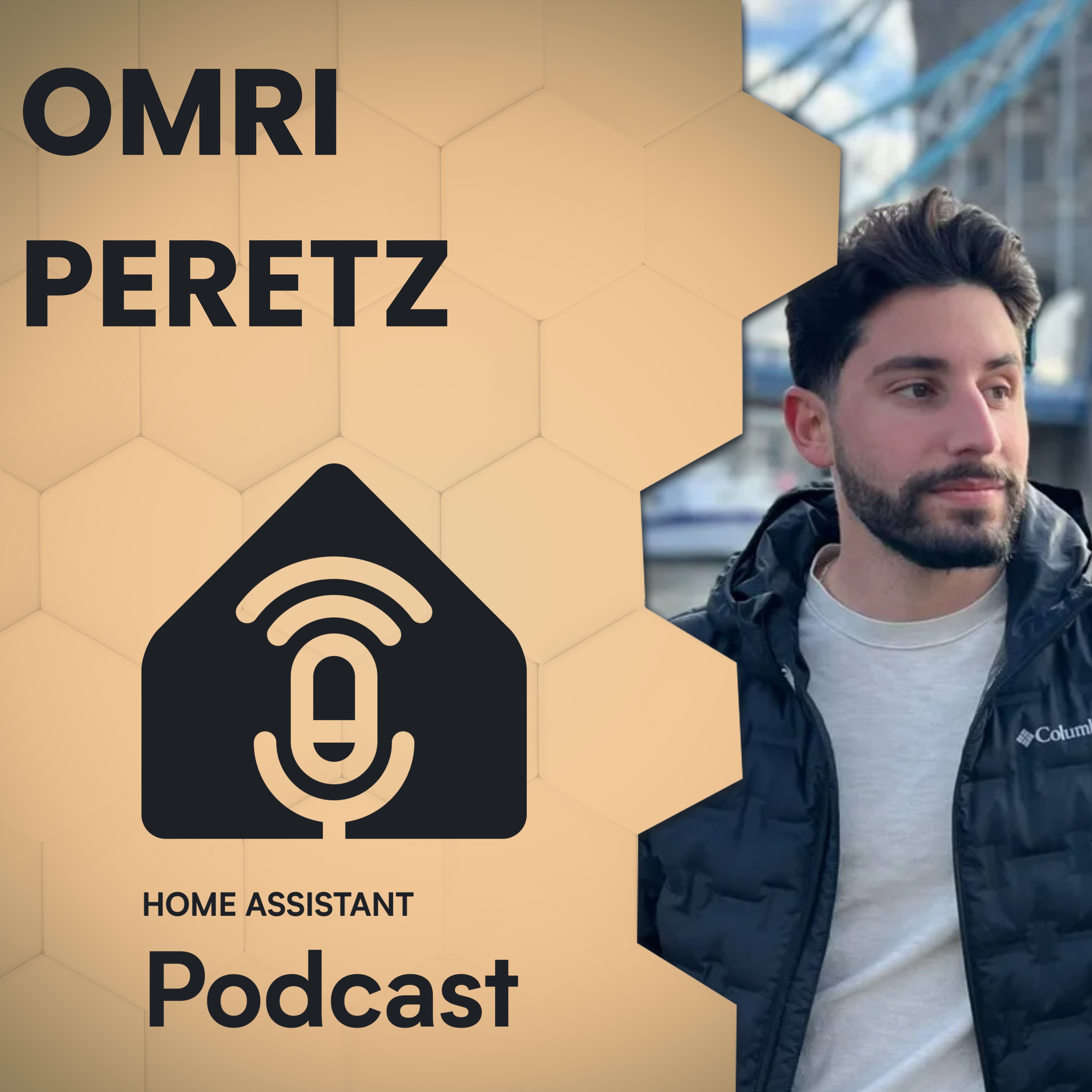
<p><span>In this episode Phil and Rohan chat with Omri, the creator of QuickBars, an Android TV and Google TV app for controlling Home Assistant from the couch. They dig into his smart home journey, how he replaced a slow proprietary Zigbee setup, and how Home Assistant became the central brain for his parents' house and his own apartment.</span></p><p><a href="youtu.be/O0fwnF8got4"; rel="nofollow">Watch this episode on YouTube</a></p><p><span>Show notes for this episode are available at </span><a href="homeassistant.fm/HA241"; rel="nofollow">homeassistant.fm/HA241</a></p><… the Podcast</strong></p><p><span>Get early-access to episodes and an ad-free feed by supporting our Patreon.</span></p><p><a href="homeassistant.fm/patreon"; rel="nofollow">homeassistant.fm/patreon</a></p>&l… your story</strong></p><p><span>We wouldn't be able to do this podcast without community members and home automation enthusiasts sharing their stories. To register your interest to come share your home automation journey, head over to </span><a href="homeassistant.fm/"; rel="nofollow">homeassistant.fm</a><span> and click </span><a href="homeassistant.fm/guest-registration"; rel="nofollow">share your story</a><span>.</span></p><p><br></p><p><strong>Chapters</strong></p><p><span>00:00:00 Intro</span></p><p><span>00:02:26 QuickBars overview</span></p><p><span>00:03:07 Broken smart home origin</span></p><p><span>00:05:58 Rebuilding with Home Assistant</span></p><p><span>00:10:04 Running two Home Assistant homes</span></p><p><span>00:14:51 House automations and cameras</span></p><p><span>00:18:57 Building QuickBars</span></p><p><span>00:28:29 App development lessons</span></p><p><span>00:31:34 Community response and use cases</span></p><p><span>00:35:04 Notification and camera features</span></p><p><span>00:38:40 Open source and AI coding</span></p><p><span>00:42:13 Apartment automations and alerts</span></p><p><span>00:48:39 Wrapping up QuickBars</span></p><p><br></p><p><strong>This episode was made possible thanks to our sponsors</strong></p><p><a href="nabucasa.com/"; rel="nofollow">Home Assistant Cloud by Nabu Casa</a></p><p><span>Easily connect to Google and Amazon voice assistants for a small monthly fee that also supports the Home Assistant project. Sign up for your free trial in your Home Assistant system: </span><a href="my.home-assistant.io/redirect/cloud/"; rel="nofollow">my.home-assistant.io/redirect/cloud/</a>…; or visit </span><a href="nabucasa.com/"; rel="nofollow">nabucasa.com</a></p><p><b… href="thesmartesthouse.com/"; rel="nofollow">Zooz</a></p><p><span>If you're looking to upgrade your smart home - you can’t go past Zooz! Zooz offers a range of affordable and innovative devices, including water leak sensors, water valve controllers, smart plugs and scene controllers.</span></p><p><span>For the best prices on all Zooz products, head over to </span><a href="thesmartesthouse.com/"; rel="nofollow">thesmartesthouse.com</a></p><p&… href="apolloautomation.com/"; rel="nofollow">Apollo Automation</a></p><p><span>Apollo Automation are the makers of open source smart home sensors built for the Home Assistant ecosystem. They're an official Open Home Foundation commercial partner and their devices are built with local control, privacy, and reliability in mind, giving you full control and flexibility right out of the box.</span></p><p><br></p><p><br></p><p><strong>Products Discussed</strong></p><p><span>Google Coral: </span><a href="amzn.to/4b44TCm"; rel="nofollow">amzn.to/4b44TCm</a></p><p>&l… Shield: </span><a href="amzn.to/4eCreYH"; rel="nofollow">amzn.to/4eCreYH</a></p><p>&l…: </span><a href="amzn.to/4uWeu5A"; rel="nofollow">amzn.to/4uWeu5A</a></p><p>&l… href="amazon.com/shop/homeassistantpodcast"; rel="nofollow"><strong>Products we Recommend</strong></a></p><p><br></p><p><br></p><p><strong>Hosts</strong></p><p><span>Phil Hawthorne</span></p><p><a href="philhawthorne.com/"; rel="nofollow">Website</a></p><p><span>Twitter: </span><a href="twitter.com/philhawthorne"; rel="nofollow">@philhawthorne</a></p><p><span>Bluesky: </span><a href="bsky.app/profile/philhawthorne.com"; rel="nofollow">@philhawthorne.com</a></p><p><a href="buymeacoff.ee/philhawthorne"; rel="nofollow">Buy Phil a Coffee</a></p><p><br></p><p><span>Rohan Karamandi</span></p><p><a href="karamandi.com/"; rel="nofollow">Website</a></p><p><span>Twitter: </span><a href="twitter.com/rohank9"; rel="nofollow">@rohank9</a></p><p><a href="buymeacoff.ee/rkaramandi"; rel="nofollow">Buy Rohan a Coffee</a></p><p><br></p><p><br></p><p><span>This episode contains Amazon affiliate links. If you click on one of them and make a purchase, we may earn a commission at no extra cost to you. As an Amazon Associate, we earn from qualifying purchases.</span></p><br/><br/>Privacy & Opt-Out: <a href='redcircle.com/privacy'>https://redcircl…;
Transkriptvom Podcast bereitgestellt · Zeitmarken springen hin
[SPEAKER_02]: Hello and welcome to Homelessness and Podcast as usual. [SPEAKER_02]: My name is Rohan and I'm joined with my friend Phil. [SPEAKER_02]: Hey Phil. [SPEAKER_02]: Hey, we're on. [SPEAKER_02]: How are you going? [SPEAKER_02]: Good. [SPEAKER_02]: And today we have a special guest, Armory. [SPEAKER_02]: Hey, Armory.
[SPEAKER_02]: Hello, we're on and see. [SPEAKER_02]: Hello. [SPEAKER_02]: Hello. [SPEAKER_02]: Before we get started, he's a quick word from our sponsor Homeless and Cloud by Neville Casa. [SPEAKER_02]: And if you have ever tried to set up a remote access to hardware, dynamic DNS reverse proxy is self-signed search, not because that's the easy button.
[SPEAKER_02]: Sign up, flip a switch, done, and you can access your home assistant from anywhere. [SPEAKER_02]: What's more, you also get secure off-site backups, voice control, Amazon Echo, or Google Home Device integration, and the ability to supercharge your DIY voice assistant. [SPEAKER_02]: And here's the part we love.
[SPEAKER_02]: Your subscription pays the developers behind home assistant ESP Home and the Open Home Foundation. [SPEAKER_02]: It's the best few dollars a month you'll spend on your smart home. [SPEAKER_02]: Start your 31-day trial today, just open your home assistant settings, go to the cloud page or sign up at Navocasa.com, there's a link in the description for you.
[SPEAKER_02]: This episode is also sponsored by our friends at Apollo Automation, makers of open source smart home sensors built for the home assistant ecosystem. [SPEAKER_02]: There are an official open home foundation commercial partner and their devices were built with local control, privacy, and reliability in mind.
[SPEAKER_02]: Almost everything they offer is works with Home Assistant and made for ESP Home Certified, giving you full control and flexibility right outside the box. [SPEAKER_02]: And the best part, they build in the open, working directly with the community to create sensors that people actually need.
[SPEAKER_02]: If you're deep into Home Assistant or just getting started, definitely check them out at Apolloautomation.com. [SPEAKER_02]: All right, let's jump into it, Omri. [SPEAKER_02]: Welcome to the podcast. [SPEAKER_02]: Thank you for making the time. [SPEAKER_02]: Thank you for having me. [SPEAKER_02]: Yeah, of course.
[SPEAKER_02]: You know, what brought you here today? [SPEAKER_02]: Let's start with that. [SPEAKER_01]: I guess that I'm a smart dumb enthusiast, I've been listening to your podcast for a while and I've built a quick bars for home assistance, which is a game's quite a following in the home assistant community.
[SPEAKER_01]: I'm excited to talk about it about a smart dumb journey. [SPEAKER_01]: Everything. [SPEAKER_02]: Yeah, and for just a quick teaser, we'll talk about quick bars in a minute, but for those folks that don't know what that is, do you want to just give us a quick highlight? [SPEAKER_01]: Yeah, sure, it's an app for Android TV or Google TV that lets you control your own assistant instantly easily and view your current state of your entities and show camera streams, notifications on your TV.
[SPEAKER_01]: And that's in the natural pretty much. [SPEAKER_01]: That's it. [SPEAKER_02]: All right, and again, we'll get a little bit of our quick bars in a minute. [SPEAKER_02]: But, [SPEAKER_02]: You know, Phil and I always love to start with wondering, you know, what are you writing? [SPEAKER_02]: What's in your smart home?
[SPEAKER_02]: What are you doing? [SPEAKER_02]: What, how did you get started? [SPEAKER_02]: So let's start with how you get started and work our way in there. [SPEAKER_02]: Yeah, of course. [SPEAKER_01]: So, you don't start a few years ago. [SPEAKER_01]: I lived with my parents in my home. [SPEAKER_01]: Actually, this is this home.
[SPEAKER_01]: And the [SPEAKER_01]: and they did a renovation, quite a big renovation in the house and paid this guy to pretty much build a smart home system, a local guy, and it was basically a Zigbee-based [SPEAKER_01]: that cost quite a lot of money and it worked awful, it was slow, it was very, very limited in its capabilities and I did not like it at all and I said it to them quite a few times and everything went like this.
[SPEAKER_01]: and there's pretty much like the most impressive automation that was in this setup, like it was turned on the water heater at this hour and turned it off at this hour. [SPEAKER_01]: And it's pretty much something, yeah, this was the most impressive thing. [SPEAKER_01]: And they were excited by it as well.
[SPEAKER_01]: Like it was awesome. [SPEAKER_01]: Sure. [SPEAKER_01]: Yeah, yeah. [SPEAKER_00]: Can I ask that? [SPEAKER_00]: How did your parents decide to go down that road? [SPEAKER_00]: Like, they've obviously wanted to know, I go, we want to get a smart home. [SPEAKER_00]: What encouraged them all, sparked them to want to get a smart home and then to get to where they ended up.
[SPEAKER_01]: I think what's popular curiosity about it was that they went to a hotel, sorry, and they saw like there's a tablet on the wall where you can control like the lights and the TV and stuff, and they wanted it at their home, so they found the easiest way to achieve it. [SPEAKER_00]: Yeah, I mean, that is, I like it, all right, it's like, we had a lot of people on this podcast right and they've, you know, I cheap background tinkerers with home.
[SPEAKER_00]: This isn't here. [SPEAKER_00]: It's good to hear from this side of things, right, where it's maybe not some of the, with not a background or maybe like just a couple of just side of, yeah, we like this. [SPEAKER_00]: We want this in our home. [SPEAKER_00]: The system that they got installed is there was a Zigbee system with a two year wrapper.
[SPEAKER_00]: Now, did they use, did they install their use like a proprietary hub or controller to control those computer devices or was it something off the shelf that was locked down? [SPEAKER_01]: So it was a proprietary hub that was locked down and could only be used for [SPEAKER_01]: Of course, we're not using it right now with our system because it's unusable at all.
[SPEAKER_01]: Yeah, so that's that's the old setup. [SPEAKER_00]: Yeah, and that was going to be our next question. [SPEAKER_00]: So have you been able to, yeah, like bring those devices in time? [SPEAKER_00]: This is where you have to retrofit them, or it has it had to be a whole rip them out and replace with more open zippy products.
[SPEAKER_01]: So first of all, I've added a lot of devices and sensors and stuff, since we have only systems in our home. [SPEAKER_01]: But yeah, we are using these old switches in our setup. [SPEAKER_01]: We had to add this ZIGBDOM key to TIA converter. [SPEAKER_01]: to create one for all of these switches.
[SPEAKER_01]: They suck. [SPEAKER_01]: They are very bad and we're going to replace them eventually as well. [SPEAKER_01]: But this is what fits in our world because it's like a different standard. [SPEAKER_01]: So there's not so much possibilities. [SPEAKER_01]: Like, and do you say or? [SPEAKER_00]: Yeah, like you might have my restricted space behind the wall box, right?
[SPEAKER_00]: Where you can't necessarily put all the modules that you need you have to sort of be smart about how many switches or relays can one device sort of control at a time? [SPEAKER_00]: Yeah, I can understand that. [SPEAKER_00]: Yeah. [SPEAKER_01]: So basically what happened was this, I got sick of it after a few years.
[SPEAKER_01]: It was around two years ago I think. [SPEAKER_01]: And I was a computer science student at the time, like full-time students. [SPEAKER_01]: And what I did was I went online and I searched for other options. [SPEAKER_01]: And of course I came upon this thing you may have heard about homocystent.
[SPEAKER_00]: You tell me more about that, that sounds like a good product. [SPEAKER_01]: the things about. [SPEAKER_01]: And I started researching about it and figuring out what extra stuff I need to buy and set up before I can start any kind of transition. [SPEAKER_01]: So we took a few weeks, I think, for a very slow research, and then I asked my parents about it.
[SPEAKER_01]: And of course, they said, yes, right away. [SPEAKER_01]: No, they did not. [SPEAKER_01]: They were very, very, [SPEAKER_01]: Very against the idea and they were afraid that I'm going to bring everything and they pay this guy a lot of money for you know You know, you know the drill and so what I did was I bought a few sensors I bought a Zigbee antenna that I can use by SM lights and the few extra stuff that I can't recall now and I took this all the laptop and [SPEAKER_01]: installed proxmox and Zikwitunki Titi and Home Assistant and started doing this without them knowing and then I told them okay we're ready for transition are you ready do you expect except and they accepted eventually and in one weekend the eye transition all of our stuff which is not a lot of stuff that's why it was pretty great yeah
[SPEAKER_01]: to homesy stentons, they could be doing MQTT and the rest is history from now. [SPEAKER_01]: You know, all the integration. [SPEAKER_02]: So you built out the automations, you did all of that stuff, and then you're just OK. Now that all this is done, let's just port the devices over, kind of thing.
[SPEAKER_01]: no without automations and maybe just the only thing I did do was add like integrations for the TVs and the devices that could be connected to home assistant right now. [SPEAKER_01]: Yeah, like you know with the automatic QPNPA recognition of devices on the network. [SPEAKER_01]: Yeah. [SPEAKER_01]: Yeah, and on the afterwards, we transitioned it, and then we started doing God of the automations and stuff like before MD1s.
[SPEAKER_01]: Very cool. [SPEAKER_01]: Okay. [SPEAKER_00]: When you did that transition, or I guess maybe fastwatered a bit, just a couple months down, you've gone from this old, proprietary lockdown to your base system. [SPEAKER_00]: Now running home assistant as a central brain. [SPEAKER_00]: With your own regrets from your parents, would like, whether any, like, oh, we shouldn't have done this or maybe on the opposite was a, oh, why didn't we do this earlier?
[SPEAKER_00]: Like, this is so much faster, this is so much better. [SPEAKER_00]: What was the sort of learnings our post transition? [SPEAKER_01]: So post transition, the words like, [SPEAKER_01]: Like they didn't notice the difference at all. [SPEAKER_01]: They thought it was the same, they didn't understand it because I have the one who did the research, who's done all the research and have seen all of the possible stuff.
[SPEAKER_01]: And since then we have a lot of amazing automations and cool stuff in our own and in my apartment toy. [SPEAKER_01]: And they love it right now. [SPEAKER_01]: They're absolutely in love with it. [SPEAKER_01]: I've also made adjustments, so they would love it, love it, you know, it would feed their needs exactly, like this is, so they're accepting, you know, the acceptance factor, that's awesome.
[SPEAKER_02]: Yeah, it's, yeah, so you said, again, because we talked offline, you said you're, your parents, as you've got your own place as well. [SPEAKER_02]: So are you, are you running home assistant there? [SPEAKER_01]: What are you doing at, in your, I'm running home assistant there. [SPEAKER_01]: Of course, on the old, laptop that ran home assistant here actually, so it's a nice, [SPEAKER_01]: Yeah, I have my own automations there that fit my needs exactly, I live alone, sometimes my girlfriend comes around, so there's also some automations for her.
[SPEAKER_01]: And definitely two separate setups, I'm maintaining both of them of course because my parents are like 60 years old, so it's a little slow for it, but they love it. [SPEAKER_00]: How is being IT support for two homes then? [SPEAKER_00]: Like, G find that you have to do much maintenance on the parents home assistant?
[SPEAKER_01]: Nope. [SPEAKER_01]: It's actually interesting. [SPEAKER_01]: I thought there is going to be so much maintenance. [SPEAKER_01]: Like, I've heard that in the past, home assistant updates, like for integrations and add-ons used to really break stuff. [SPEAKER_01]: And ever since I started, [SPEAKER_01]: with home assistant, which is around two years ago, like the non-yamal route, there is to be like the almost of you probably know way more about it, and it's more you are now.
[SPEAKER_01]: Like everything is way more stable now. [SPEAKER_01]: I've never had anything get ruined, ruin anything, nothing. [SPEAKER_01]: So it's pretty easy to support it. [SPEAKER_01]: And I can do it for afar. [SPEAKER_01]: I'm supporting [SPEAKER_00]: have you linked the two instances together?
[SPEAKER_00]: Like if you've got your parents instance somehow talking to your home assistant at your house for sharing any entities or anything? [SPEAKER_01]: Actually no, but it sounds interesting do you have any ideas? [SPEAKER_01]: I'd love to hear about it. [SPEAKER_02]: Yeah, there's a plugin called Remote HA and that basically [SPEAKER_02]: Forget what's a type of entity is so like you can't like it's not mutable like you can't change the properties of it or anything like that but it brings it in and it essentially is like you click it and it you know you'll need some kind of connectivity between your uh your instance and theirs whether that's through I'm going to try to through Navocasa but um because I've just done it for local instances at my house
[SPEAKER_02]: But as long as there's connectivity and whether it's through VPN or whatever, you should be able to do that. [SPEAKER_00]: So you're basically just going to add another instance and it and select the entities you want to import and away it goes. [SPEAKER_00]: But yeah, I'd be good to for things like it, you know, a parent's case where like maybe you can detect or monitor room presence, right?
[SPEAKER_00]: And go, okay, if the rooms haven't been occupied for this amount of time, maybe something's wrong, you know? [SPEAKER_00]: Maybe if you've got two parents, it's okay, but if you've got a single parent aging in place You know, it's a piece of mind to know, okay, they're okay. [SPEAKER_00]: They're up in the kitchen.
[SPEAKER_00]: They're moving around. [SPEAKER_00]: Everything's fine Yeah, just little things like that perhaps or even if it's like hey, you want to give them a call and you're like hey, are they a sleep yet? [SPEAKER_02]: Check in before we get them up, right? [SPEAKER_02]: So it's piece of mind. [SPEAKER_02]: Yeah, so it's it's you know, there's a lot of good [SPEAKER_02]: Things I can come from, and again, it's not different from your parents too, right?
[SPEAKER_02]: Maybe your parents would hate that, and they would like to stop watching whatever, right? [SPEAKER_02]: So, legal disclaimer, consult your consultor people here. [SPEAKER_02]: You're a tracking first, but yeah, I don't know, it's always been something intriguing, right? [SPEAKER_02]: Yeah, all those possibilities, they're amazing, really.
[SPEAKER_01]: We've only seen them. [SPEAKER_00]: So for your parents' house, what were some of the first automations that you started building out in Ohio, in my assistant, like to give them some extra smart time capabilities? [SPEAKER_01]: So basically, it started as a very basic stuff, you know, like the timer for the water heater, [SPEAKER_01]: And once you leave the house, make sure everything's turned off, like the TV and stuff, and the vacuum started working, at hours when no one was home.
[SPEAKER_01]: And then it's from there, it got to more cool automations, I think. [SPEAKER_01]: way that we're rolling down right here. [SPEAKER_01]: Okay, so we have the basic automatic lights with presence and door sensor with different settings for different hours, like in the bathroom, I have this latstrip and it deans just a little bit of brightness when it's at night, like a different [SPEAKER_01]: We have this cat automations, we have cats, and like when the cats open the windows, they're not supposed to open and there's this, we have this home body here, so it's not if I sit on the speaker, it shows it on the TV and tells us what window exactly, like it does this meow sound and shows it, how strong are your cats?
[SPEAKER_02]: Wow. [SPEAKER_02]: Okay. [SPEAKER_02]: I mean, like, I knew cats were strong, but this is, uh, yeah, that's, I've never heard of that before. [SPEAKER_02]: That's actually hilarious. [SPEAKER_02]: And also. [SPEAKER_02]: Yeah. [SPEAKER_01]: Yeah, it's great. [SPEAKER_01]: Okay. [SPEAKER_01]: I'll send you a video afterwards.
[SPEAKER_01]: It's funny. [SPEAKER_01]: I really want to see this. [SPEAKER_01]: Yeah. [SPEAKER_02]: Yeah. [SPEAKER_01]: And so we have, if a person is detected in the driveway, this one is like the favorite for my parents, a very anxious like about who's coming for our home. [SPEAKER_01]: Even though we live in a very safe place.
[SPEAKER_01]: So it's very funny, like they're acting like they were in a crime-infested community, but it's very, very safe here. [SPEAKER_01]: But like the TV shows an notification, if a person is detected in the driveway, [SPEAKER_01]: with the picture of the person and also a button that shows the life feed if they want to.
[SPEAKER_01]: So they're in love with this automation and also one for the washing machine. [SPEAKER_01]: Once it's over, it's just like this Boolean entity that sets if we took the wet laundry out of the washing machine. [SPEAKER_01]: and it only resets once we're telling it that we took it out so you can accept it from the TV directly or from our phones.
[SPEAKER_01]: So this kind of quality of life improvements where the house lives with you and knows what you need. [SPEAKER_00]: Yeah, I like that. [SPEAKER_00]: I'm interested to hear more about the camera detection there. [SPEAKER_00]: What are you using to detect someone in the driveway? [SPEAKER_00]: Have you got like a frigate running, are you using some cameras that I built in or are using a cloud to do that detection and then notify on the TVs?
[SPEAKER_01]: Actually, I did start working on freeget here. [SPEAKER_01]: And about all of the Google Coral and everything, but then I started working and moved to another city. [SPEAKER_01]: So we are actually relying on the built-in person detection that the camera brings us. [SPEAKER_01]: It's a T-pilling tapo camera.
[SPEAKER_01]: That's the two one of the integrations come with the built-in entity that shows my person was detected. [SPEAKER_01]: So we're using it. [SPEAKER_01]: for it. [SPEAKER_00]: Yeah, and I'm guessing because it's on camera then the detection is fast enough for you to get a snapshot of the picture of the person and show it on the tape me before they're even, you know, at the doorbell, right?
[SPEAKER_02]: Like, yeah, they're fundamentally towards real data. [SPEAKER_00]: That is fantastic. [SPEAKER_02]: Yeah. [SPEAKER_02]: We're in displaying these notifications. [SPEAKER_02]: Are you, are you using your integration? [SPEAKER_01]: Yeah, I'm using my app quick bars. [SPEAKER_01]: A lot of said features that I thought about for this app were features that my dad and I talked about and he was like, and like I consulted him, how would you want this to look like?
[SPEAKER_01]: Like how would you want this to behave? [SPEAKER_01]: And he was like, this is my dream. [SPEAKER_01]: And so I said, okay, let's do this then. [SPEAKER_01]: Let's try this. [SPEAKER_00]: So is that where your background is you own like software development, and that was sort of, sort of, okay, let's make this as an Android app.
[SPEAKER_01]: So when I started working on the app, I was only a computer science student. [SPEAKER_01]: Nowadays, I'm working full time as a software engineering mobile eye, if you know the company. [SPEAKER_01]: And yeah, I'm still a computer science student, though very, very, you know, low maintenance for the studies in general, but I'm mostly on the job and I'm smarter on stuff in my app, which is now open source.
[SPEAKER_01]: And this is what brought me. [SPEAKER_01]: I think this app was like the kickstart [SPEAKER_00]: Yeah. [SPEAKER_00]: So I think you said that you'd launch the app in August, 2025, and at that. [SPEAKER_00]: So when you release it, how long have you been using it yourself personally before you decided that, you know, this is something that is now shareable.
[SPEAKER_00]: I know a lot of developers always are hoping to get the version one before I can show other people or I'd like, did you try and develop in the open or did you just like get it to a point like, okay, I'm happy to share this out now and get some feedback. [SPEAKER_01]: So, it was very, very usable once it was out on the store.
[SPEAKER_01]: I've been developing it, sorry for a few months at the time, and at the initial idea was pretty boring, and while developing it, I was like, okay, this is pretty cool. [SPEAKER_01]: I think people will love it, which ended up being true. [SPEAKER_01]: And also I had this closed testing period that Google requires the developers to do.
[SPEAKER_01]: And I've got a lot of amazing feedback during it was only a little more than two weeks. [SPEAKER_01]: But like 30 people found a lot of bugs and suggested a lot of very, very important features. [SPEAKER_01]: And it's got this app pretty much production ready. [SPEAKER_00]: Cool. [SPEAKER_00]: Yeah.
[SPEAKER_00]: So I don't have, I've got an Amazon Fire TV stick, which is a very like locked down version of Android or even Android TV. [SPEAKER_00]: I don't know. [SPEAKER_00]: It's a sample of Android underneath it. [SPEAKER_00]: Do you find [SPEAKER_00]: like is there many challenges with the different types of Android TV devices that are out there?
[SPEAKER_00]: Like, have you had trouble going to develop a, you know, maybe the shield or another, you know, maybe Google TV over here, like, are there compatibility issues amongst all the streaming boxes out there? [SPEAKER_01]: Yeah, definitely. [SPEAKER_01]: During the development period and for let's say more complex features like the picture in picture live streams, I've run into a lot of problems on different Android TV devices.
[SPEAKER_01]: since Android TV is very Android TV devices differ a lot from one another. [SPEAKER_01]: If from not mistaken, there are above 25, more than 2500 different Android TV devices. [SPEAKER_01]: Yeah, this is according to the Google Play console. [SPEAKER_01]: It could say like, Disney's out of many.
[SPEAKER_01]: I think my, like, more than 300 different devices downloaded my app. [SPEAKER_01]: I think so. [SPEAKER_01]: We found a mistake. [SPEAKER_02]: Yeah. [SPEAKER_02]: And I guess that makes sense, because if you think about it, even like you go on and around them, like, IPTV websites and stuff like that, they're like, get this, you know.
[SPEAKER_02]: It's whatever random Android box and you're just like, oh, yeah, literally never heard of this brand before, whatever, right? [SPEAKER_02]: So people just shove it in to whatever, but then just also large manufacturers that use like a Peloton, for example, their screen is essentially an Android.
[SPEAKER_01]: Yeah, it's a standard tablet a little different, but still yeah, and they differ a lot in the hardware itself and They're usually very very weak devices like with very low specifications so it could cause a lot of problems for their older models. [SPEAKER_00]: I'll say because I'm not like Android [SPEAKER_00]: phones, right?
[SPEAKER_00]: They've got so many Android phones and tablets out there. [SPEAKER_00]: I didn't realize those, just that amount in TV as well. [SPEAKER_00]: Like I thought it was one or two, maybe. [SPEAKER_01]: Yeah, actually it's interesting because as far as I know you're based in Australia and you're in Canada, right?
[SPEAKER_01]: Yeah, I think you're in your countries like there isn't a lot of Android TV. [SPEAKER_01]: It's like number three or something most used like there's Apple TV and Fire TV, but in a lot of places it's number one by a long shot like dominating more than 80, 90% of [SPEAKER_01]: of the markets.
[SPEAKER_01]: So that's the reason you're interesting. [SPEAKER_00]: Yeah, and also countries with the A-B, like, is it the US or we're looking more Europe that's leaning more towards Android TV? [SPEAKER_00]: Do you have access to that based on your app at least? [SPEAKER_01]: Yeah, definitely not the US, even though I think most of my users are like the in amount, most of the users are from Germany and the US, but it's still to this two countries being like pretty large population wise.
[SPEAKER_01]: But actually, I think in Europe and RTV is dominating the market. [SPEAKER_01]: Definitely. [SPEAKER_01]: And maybe it definitely an Asia as well. [SPEAKER_00]: Yeah, well, that makes sounds like a lot of run, you mentioned it before. [SPEAKER_00]: All those random IPTV boxes, right? [SPEAKER_00]: Like, like straight out of China, an Asia, right?
[SPEAKER_00]: Like, yeah, I don't know, Amazon storefront. [SPEAKER_00]: So I can totally see that. [SPEAKER_02]: Yeah, so how do you how do you deal with that, right? [SPEAKER_02]: Like obviously like you're you're building an app. [SPEAKER_02]: You've got this ecosystem. [SPEAKER_02]: Whatever Do you just wait for again?
[SPEAKER_02]: I don't know if there's necessarily a way to go in and say hey like test against all 25,000 variants of whatever [SPEAKER_02]: right or is it a you kind of just have to you start it like you know the most popular ones and then and then you kind of work your way down like how does that how does that work?
[SPEAKER_01]: Actually when I started working on it I only had to say Xiaomi and Streamer. [SPEAKER_01]: I had a few different models in my home, but since then, I did purchase, actually for the app. [SPEAKER_01]: I purchased the most popular ones, like the Google TV streamer and video shield. [SPEAKER_01]: And I did build and test this on my own on these devices, but I relied so much on user feedback.
[SPEAKER_01]: Like, it was a period like 10 months ago, I'll say that I was in [SPEAKER_01]: I was pretty much emailing with users all day long about their specific issues and I tried to solve it for them. [SPEAKER_01]: And for the most part, it did work. [SPEAKER_01]: There are some weird bugs here and there, but the app is pretty stable right now.
[SPEAKER_01]: And there's no way to test across all different models, I don't know. [SPEAKER_01]: Yeah, unless you buy all 25,000 different. [SPEAKER_02]: Yeah, you know it. [SPEAKER_02]: Not going to happen yet. [SPEAKER_00]: No. [SPEAKER_00]: Wow. [SPEAKER_00]: Well, I would have done it a little bit more in the afternoon, but first, if you're looking to upgrade your smartphone, you really can't go past zoos.
[SPEAKER_00]: They've got their 800 series Zwave Long Range Power Strip, the Zen 2800 LR, so you can turn a single outlet to multiple, individually controllable smart loss sockets. [SPEAKER_00]: proper under a desk behind your TV unit or in your server rack to tame all those always on gadgets and still monitor and automate each outlet separately.
[SPEAKER_00]: It's perfect for things like network gear, charges, lamps, game consoles, anywhere where you want more smart control without adding a bunch of separate plugs. [SPEAKER_00]: Zeus are also an official or works with home Mrs. and partner, and they've been helping Nabukasa by providing long-range devices to test the home Mrs. and connect ZWA2 radio.
[SPEAKER_00]: So you know you're in friendly hands. [SPEAKER_00]: Beyond that power strip, Zeus offer a full range of affordable, addictive devices, including water leak sensors, motorised water valve controllers, smart plugs, and scene controllers. [SPEAKER_00]: plus there's N78, high power relay for loads up to 40 amps for pool pumps and air compressors.
[SPEAKER_00]: For the best prices on all zoos products, head over to the smartesthouse.com. [SPEAKER_00]: That's the smartesthouse.com. [SPEAKER_02]: So when you started going through this whole process, what would you say was, [SPEAKER_02]: somebody else was to build their own app, right? [SPEAKER_02]: Like, what, what was something you wish you knew when you started this journey of building a homelessness and connected app, let's call it?
[SPEAKER_01]: Wow, there are a lot of stuff. [SPEAKER_01]: First of all, eh. [SPEAKER_01]: be very, very, uh, sure of if you want to release the on what platform you want to release that like is it on your get up and people can pilot themselves or like take the, uh, the ready app file for credit's name.
[SPEAKER_01]: Sorry. [SPEAKER_01]: And, uh, [SPEAKER_01]: or really sit on the Play Store directly. [SPEAKER_01]: And it differs so much because the Play Store specifically is very, very difficult with its requirements. [SPEAKER_01]: And they're not very helpful in the process, I'll say. [SPEAKER_01]: And it takes quite a while.
[SPEAKER_01]: So that's the first thing. [SPEAKER_01]: The second thing, if we focus more on the home system [SPEAKER_01]: be going to the home sitting developers documentation and be very familiar with the different [SPEAKER_01]: let's say APIs that you can use with your third-party app, sorry, because it could and maybe even consult on the home system discord or forums or anything, because it could be a limit in the future if you want to build some kind of official integration or anything.
[SPEAKER_00]: just to tack on to that. [SPEAKER_00]: We do the release breakdowns once a month going through all the new features. [SPEAKER_00]: What we don't generally touch on is in those release notes, homeissons do announce also developers specific breaking changes or architectural decisions that there are [SPEAKER_00]: So if you are in any way developing a round home assistant, check out the release notes as well, just at the bottom, they'll generally have one of two things, like the upcoming breaking changes, that you'll get, like, they want to add developers to know about those breaking changes, way before they actually put them in as a breaking change.
[SPEAKER_00]: So you maybe have, like, can get your app ready for this screen, like around. [SPEAKER_00]: So you're definitely, like, like, I think the documentation that home assistant put out, just the last thing they want to do is break third party apps [SPEAKER_02]: Yeah, yeah, remember, yeah, you got that six month buffer right, so so use that to your advantages.
[SPEAKER_02]: You're building an app. [SPEAKER_02]: Let's go any any any other top tips for building an app like this. [SPEAKER_01]: Yeah, I say try to think from the perspective of the user and even better. [SPEAKER_01]: build this with the mindset that you want to be the user of your app and this will guide you pretty easily in the process.
[SPEAKER_00]: How did you find engaging with the home racism community like where was it like puts a set of people open arms like yes when we need this or do you get a pushback or so what was the vibe that community gave you when you put it out there? [SPEAKER_01]: With the App in general, it actually got a lot of love.
[SPEAKER_01]: Pretty quick. [SPEAKER_01]: I was kind of surprised and dissipated like a few hundred users at most. [SPEAKER_01]: And it's got a lot more than that. [SPEAKER_01]: And I think for a lot of people, it really scratches their each. [SPEAKER_01]: I think that's the thing. [SPEAKER_01]: A lot of people really relate to the experience of sitting on your couch, you don't want your phone area, you don't want to mess around with it, you don't trust like voice assistance and you just want a very quick and easy way to control your smart home devices, turn on scripts, be up to date on different stuff and a lot of people like in my home [SPEAKER_01]: It's always accessible.
[SPEAKER_01]: Someone is watching it and these people in the home and system community, they really, really love the app. [SPEAKER_00]: You've been able to say, or if you're saying based on people using your app, anyone doing some crazy automations that you go, oh, I didn't even think of that as a possibility, but that's cool.
[SPEAKER_01]: Yeah, some people are replying comments, like with pictures of stuff that they did that they really love about it. [SPEAKER_01]: And unfortunately, I can't remember right now. [SPEAKER_01]: I remember some cool stuff, but I forgot I did not prepare the events. [SPEAKER_01]: There were a lot of ready threads that I opened about it and a lot of comments.
[SPEAKER_01]: And I really, I got lost in it anyway for a while. [SPEAKER_00]: I love that you could open up a thread and be like, hey, they're making something cool and I built the tool that allows them to do that, right, like that, that must be an awesome feeling. [SPEAKER_01]: Yeah, yeah, and I've seen the app mentioned in a lot of comments on Facebook and on Reddit and people really do love it.
[SPEAKER_01]: and they're using it as a tool that helps them really manage your home and be up to date on different stuff. [SPEAKER_01]: So it's really amazing. [SPEAKER_00]: So someone's got an Android TV today and they want to and they want to install quick bars. [SPEAKER_00]: What would be the first thing they should set up with quick bars to do?
[SPEAKER_01]: First of all, they need a working home assistant and they need to make sure it's accessible on their network easily, both their Android TV device and their home assistant. [SPEAKER_01]: Like, there's no, a lot of the bugs that people report are that it cannot find their instance, but it's [SPEAKER_01]: It always ended up being because of some internet block that happens somewhere on the way, like on the router or on the TV itself, on the home system, the computer itself, the computer, the ransom system itself, something blocks it, like because the app works both with HTVPS and HTTP setups.
[SPEAKER_01]: So there's nothing that could block it, if it could speak to it on the network. [SPEAKER_01]: And so I'll say set this up, make sure that this, this is okay, be ready to create some scripts because I think the coolest functionality of the app in my opinion is the notifications and the camera streams.
[SPEAKER_01]: because the very customizable and the work very good, but they're only set up from home assistant and you need to get the script, the blueprint for the scripts, for both the notification and the camera. [SPEAKER_01]: and you need to import it and then you need to create it so be ready to dive into it and play with the settings that try it out and use it in different scenarios because it works right.
[SPEAKER_00]: out. [SPEAKER_00]: That's great. [SPEAKER_00]: Notifications on the TV. [SPEAKER_00]: Like I've I've just lost the capability where I like maybe because my kids watch more TV than I do anymore. [SPEAKER_00]: Right. [SPEAKER_00]: So I don't get the opportunity to you know, appreciate notifications on the TV.
[SPEAKER_00]: But I do like the ability like you know. [SPEAKER_00]: Dishwasher's done. [SPEAKER_00]: Okay, there's a little notification just pops up in the corner. [SPEAKER_00]: It doesn't pause the TV show. [SPEAKER_00]: It doesn't interrupt the flow of things. [SPEAKER_00]: It's not voice talking yelling at me.
[SPEAKER_00]: It's just a little notification. [SPEAKER_00]: Yeah, watching's done. [SPEAKER_00]: Yeah, I have to get my phone out. [SPEAKER_00]: I know. [SPEAKER_00]: And yeah, it's great for like figure doorbells. [SPEAKER_00]: And I like some of the door don't have to look away from the screen. [SPEAKER_00]: It just pops up where your eyes already got attention on.
[SPEAKER_00]: Yeah. [SPEAKER_02]: I really do think that is, and now when your kids are watching TV, they can get a pop up of the camera, they're like, oh dad's home quickly turn everything off. [SPEAKER_02]: Exactly, right? [SPEAKER_01]: Actually, I think taking a look at the worst person that... [SPEAKER_01]: Wow, it was something very weird, like he posted a comment with a picture of an notification that he created on the using QuickBars on the TV.
[SPEAKER_01]: Something about his wife that a lot of people commented like, dude, why are you doing this? [SPEAKER_01]: Do not have this notification. [SPEAKER_01]: I can't remember what it was for the life of me, but it was hilarious. [SPEAKER_00]: I can imagine people running through like some LLMs putting up some, you know, like, you see people do like make comment on what you see in this image.
[SPEAKER_00]: You know, describe the person that make it funny or make it rude or something like, I can see some of doing some stuff with LLMs and having that pop up on the TV. [SPEAKER_00]: All right. [SPEAKER_00]: Yeah. [SPEAKER_01]: Yeah. [SPEAKER_00]: Yeah. [SPEAKER_00]: What have you got in store for the future for quick bars?
[SPEAKER_00]: Like, is it, that's it features done? [SPEAKER_00]: Like, don't have anything else so I don't get you looking [SPEAKER_01]: definitely adding new capabilities. [SPEAKER_01]: The app is stable right now and to be completely honest, I've not worked on it a lot in the past few months due to working full-time.
[SPEAKER_01]: It is open source. [SPEAKER_01]: It wasn't open source in the beginning. [SPEAKER_01]: It's totally open source. [SPEAKER_01]: So people and it's like organized for pool requests and there's discussions with different categories. [SPEAKER_01]: I am monitoring and trying to answer there, but definitely if someone's listening to it and wants to add or suggest new features, go to get up, quick bars, just search for quick bars and get up.
[SPEAKER_01]: And also you can work on it, send a podcast, feel free to add to the app. [SPEAKER_00]: That's a very different attributing it as open source as well, like it is easy to just keep a close source and try and lock it down just for you, because as particularly like going to the Adroed App Store, right, like not in the Adroed App Store, it's harder to reverse engine error.
[SPEAKER_00]: But yeah, if you make an open source from the beginning, that opens up to the people to be able to get inspiration from these ad features to it, not now you're not just by yourself, you've got all community behind you. [SPEAKER_00]: Yes, thank you. [SPEAKER_00]: There we go. [SPEAKER_01]: Yeah, of course.
[SPEAKER_01]: It actually felt from the start, wasn't open source, and it felt like this shame about it, because you know, this app is for homocystend, and I love homocystend, really. [SPEAKER_01]: I'm a big fan of it, and [SPEAKER_01]: like the whole premise of home assistant is the open home. [SPEAKER_01]: It's everything that's open, open source, accessible for everyone.
[SPEAKER_01]: And it really was more of a challenge of, I think, experience. [SPEAKER_01]: I was very, I did not feel ready to put this code out there and show it with the world and manage people and do code reviews. [SPEAKER_01]: But chance I've been doing it to work, I felt more comfortable doing it.
[SPEAKER_01]: So yeah. [SPEAKER_01]: Interesting. [SPEAKER_02]: Yeah, do you are you leveraging like cloud code or anything like that in in any way to to build this? [SPEAKER_01]: of course. [SPEAKER_01]: I'm developing using Gayartos both in my work and personal stuff. [SPEAKER_01]: Always doing it like it's standard now.
[SPEAKER_01]: I'm very against vibrating. [SPEAKER_01]: I'm like, you know, prompt and build it and don't even look at it. [SPEAKER_01]: I think you should be familiar with your code. [SPEAKER_01]: and follow the exact logic and data flow and everything and of course do a proper design before working on something.
[SPEAKER_01]: So I am using it as help, let's say, but not relying on it. [SPEAKER_02]: Interesting, so you come up with the architecture of, like, kid, these are the facets of each feature, how I wanted to work, blah, blah, blah, do that kind of thing. [SPEAKER_02]: And you feed that in as part of a prompt, and then either for review or for actually spitting out code, and then you manually go through that and figure that out.
[SPEAKER_01]: Is that kind of the process? [SPEAKER_01]: And not exactly, sometimes for little stuff, little functions, I can tell it to do this for other stuff, I go to it myself, of course, with help. [SPEAKER_01]: Yeah, it's important to know exactly what's going on, especially in this kind of app, for this kind of, let's say, audience that cares a lot about data security and also privacy and everything, so it was very important for me to know this process very, very good and very up close.
[SPEAKER_02]: I think I like that, because it's still that human-in-loop kind of process, right? [SPEAKER_02]: Where you're still involved, it's not just code that's being spit out, which, listen, I'm absolutely guilty of that, but I build my apps for myself, not for other people to use, and then test and review, but yeah, when you're releasing for other folks, it's usually good to have a lot of great stuff.
[SPEAKER_00]: What does your future in the smart home look like? [SPEAKER_00]: Do you have a little roadmap for what you're hoping to automate next in your home? [SPEAKER_01]: I'm actually coming up with a lot of different cool automations in my apartment mostly. [SPEAKER_01]: I've actually been using home assistant for weird stuff that you don't usually use home assistant for, just because it's a computer that I can access from far and it's very easy to set up and notifications and the feed into it like a lot of data.
[SPEAKER_01]: So the alternative was to build the net for all of these different stuff. [SPEAKER_01]: So actually it's evolving all of the time, [SPEAKER_01]: Just an example like you have a world delivery in your country. [SPEAKER_01]: I get so right [SPEAKER_01]: And just for example, if I'm sitting in my home and I'm ordering something to eat from Walt, the speaker inside my apartment tells me on what stage the Walt delivery is at right now.
[SPEAKER_01]: Like, that's the latest cool thing I did in the fourth grade school. [SPEAKER_02]: Yeah. [SPEAKER_02]: Yeah. [SPEAKER_02]: So that would be equivalent to us for like Uber, Uber eats or something like that. [SPEAKER_01]: Yeah, yeah, that's cool. [SPEAKER_01]: Yeah, definitely, but it doesn't rely on there's no API like for users.
[SPEAKER_01]: So it had to rely on a notifications that come to my Android phone and then my home assistant receives it. [SPEAKER_01]: And I need to parse it and everything. [SPEAKER_01]: That's very cool. [SPEAKER_00]: Yeah. [SPEAKER_00]: So that's interesting. [SPEAKER_00]: Yes, we're using the Android app to intercept those notifications.
[SPEAKER_00]: And then yeah. [SPEAKER_01]: Yeah, I suppose on any notifications from a couple of apps to home system, and then I'm using it for my advantage. [SPEAKER_00]: That's great. [SPEAKER_00]: Yeah, I didn't even thought about doing that actually. [SPEAKER_00]: I should do that for like, Puperex or something, right?
[SPEAKER_00]: Puperex is like being scheduled, turn on the outside lights to make the house more visible. [SPEAKER_01]: Yeah, there's a lot of cool stuff you can do with it. [SPEAKER_01]: You can also do it for mail like if you have some kind of package you have coming in and you can do stuff with it.
[SPEAKER_01]: Great. [SPEAKER_00]: I'm not delivery. [SPEAKER_00]: Yeah, I'm not delivery is being. [SPEAKER_00]: Yeah, because after delivery, you know, open the gates or something. [SPEAKER_00]: I don't know. [SPEAKER_02]: Yeah, or just like, look for the flashing lights, right? [SPEAKER_01]: Yeah, maybe not flashing, but something like that, right?
[SPEAKER_01]: Yeah, I have this automation, like I live in Israel, like I mentioned, and we have rocket sometimes. [SPEAKER_01]: So I had this automation that I did, that if I'm home in my apartment, and then what it does, it turns on specific light on specific hours, and when there's an alert, sorry, I forgot to mention it.
[SPEAKER_01]: When there's like a wrong answer like, [SPEAKER_01]: And it tells me if it's a preliminary alert or a corrent alert like run to the shelter. [SPEAKER_01]: And so it turns on the lights. [SPEAKER_01]: It tells me if this is this or that, especially with my girlfriend. [SPEAKER_01]: She gets a really nervous when there are alarms.
[SPEAKER_01]: So it tells her this is a preliminary alarm. [SPEAKER_01]: Don't be worried. [SPEAKER_01]: You can go back to sleep because it's not always like it. [SPEAKER_01]: a direct alarm for like incoming needs right now, and also when I'm away, this one is cool. [SPEAKER_01]: When I'm away from my apartment, it sends me an notification with the three closest shelters to my home.
[SPEAKER_01]: To my current location. [SPEAKER_01]: Sorry. [SPEAKER_01]: Yeah, my current location. [SPEAKER_01]: And when I click on it, it opens a Google Maps link where it can just travel through it right away. [SPEAKER_00]: Clearly, I'm not in any way near. [SPEAKER_00]: Like, that's sort of situation here.
[SPEAKER_00]: So when there is a, like, when these alerts go off, are you hearing sirens outside? [SPEAKER_00]: And that's why you're making those alerts in the home, just say it's only a preliminary siren going off, [SPEAKER_00]: Um, is that the sort of, is that what's happening? [SPEAKER_00]: Like, you're hearing Simon that's right.
[SPEAKER_00]: I go, I go, what sort of alert is that? [SPEAKER_00]: So he's scraping API and then put on the speakers. [SPEAKER_01]: Yeah. [SPEAKER_01]: So they're only on the direct alert. [SPEAKER_01]: Like, right now in Common Missile. [SPEAKER_01]: There's a silent outside. [SPEAKER_01]: But we get on of, we get this, uh, very, very scary sounds on our phones, even for the preliminary alert.
[SPEAKER_01]: Like the, the alert is, uh, [SPEAKER_01]: the one for you when they kidnapped kids in other countries? [SPEAKER_01]: What's it called? [SPEAKER_02]: Yeah, we got a member alert here. [SPEAKER_01]: Yeah, Amber alert. [SPEAKER_01]: So it's the same noise and it could scare you quite a lot in the middle of the night.
[SPEAKER_01]: So you know the speaker speaks softly and says 50% volume and says it's only a preliminary alert. [SPEAKER_01]: You can go back to sleep and it helps like, you know, focus [SPEAKER_00]: Yeah. [SPEAKER_00]: Absolutely. [SPEAKER_00]: Yeah. [SPEAKER_00]: How long, how many minutes does it take you to get from your apartment where you are at home today and to a shelter?
[SPEAKER_00]: Have you got a time to like, I had a two-minute walk or a five-minute walk? [SPEAKER_01]: Actually for me it's around five seconds walk because my apartment is specifically directly is in the floor like directly across the shelter, like floor and minus one. [SPEAKER_01]: Yeah, and that for me.
[SPEAKER_00]: Well, my next question was going to be have you thought about doing some logic about, okay, the alert says this amount of time, you don't have enough time to get a shelter, do something else, but no, it's five seconds, so you'll have enough time in theory. [SPEAKER_00]: That's good. [SPEAKER_00]: Yeah.
[SPEAKER_01]: Oh, also, there's one another user I'm doing for it, like when I'm inside a shelter with all of these, you know, people from my partner complex. [SPEAKER_01]: When we can go out, I have Wi-Fi on my phone because my partner is across the, is across the, you know, the whole. [SPEAKER_01]: And usually there's no reception there and there's the notifications are very slow to come.
[SPEAKER_01]: And my phone screams like with a text to speech, you can go out. [SPEAKER_01]: Green light, you can go out and everyone loves it. [SPEAKER_01]: Oh, that's good. [SPEAKER_00]: Yeah, because it was like everyone. [SPEAKER_00]: Yeah, you may not have reception anymore, but you've got internet via Wi-Fi, so you can be the one to say, yep, it's clear.
[SPEAKER_01]: Yeah, they're working for it. [SPEAKER_01]: So this is an amazing usage of all the systems, really. [SPEAKER_01]: Like, you can just tailor it to everything if you want to. [SPEAKER_01]: It's really, it's amazing. [SPEAKER_00]: It really is like a Swiss army life of so many things, right?
[SPEAKER_00]: And you mentioned before, like, you're using your home misses and for users that it's not supposed to be designed for. [SPEAKER_00]: And I think it's so easy to fall into that, right? [SPEAKER_00]: Like, I certainly activated a ping sensor. [SPEAKER_00]: And sort of, you know, spinning up a dedicated, [SPEAKER_00]: uptime service.
[SPEAKER_00]: All right. [SPEAKER_00]: Oh, by the way, I need to check if my this site's online. [SPEAKER_00]: I can just get home. [SPEAKER_00]: This is to do it. [SPEAKER_00]: Yeah. [SPEAKER_00]: Yeah. [SPEAKER_01]: It almost feels like cheating. [SPEAKER_01]: I don't want to feel like cheating. [SPEAKER_01]: Yeah.
[SPEAKER_01]: Yeah. [SPEAKER_01]: I totally can be more work. [SPEAKER_00]: But it's not. [SPEAKER_01]: Yeah. [SPEAKER_00]: Yeah. [SPEAKER_00]: It's a maybe. [SPEAKER_00]: Well, this has been cool. [SPEAKER_00]: I think if you haven't, if you've got an Android TV and you haven't already check it out quick bars, we've got links, links in the show notes, of course.
[SPEAKER_00]: It's open source. [SPEAKER_00]: I think is there a paid option still? [SPEAKER_00]: I'm right, I see a paid option. [SPEAKER_00]: Like if you, it's like a pro version as well, or as now it's open source, it's a pro version. [SPEAKER_01]: There's still a pro version on the Play Store version.
[SPEAKER_01]: It's a very symbolic $3 one-time purchase. [SPEAKER_01]: That you've let you get more of the same. [SPEAKER_01]: You can create a quick bar, but now you can create more, or except for one trigger key on the remote, you can create more. [SPEAKER_01]: And in any way, if someone wants to, it can compile the open source version, it's always up to date, and the void it's completely accurate.
[SPEAKER_00]: That's fantastic. [SPEAKER_00]: Thank you for doing that and thank you for sharing it. [SPEAKER_00]: Thank you. [SPEAKER_00]: Fantastic. [SPEAKER_00]: We'll leave links to everybody in the show notes. [SPEAKER_00]: I'm really, thank you so much for coming on today. [SPEAKER_01]: Thank you very much, Phil and Ron.
[SPEAKER_01]: It's been a pleasure. [SPEAKER_01]: Of course.