Top Five Tech· Folge 26
The Real Danger of AI Agents, 3 Free Apps for Creators, Muse Mixed Bag
Freitag, 9. Oktober 2026 · 8 min
Kapitelklicken springt direkt hin
Shownotes
Kurzgesagt explains how AI models broke containment and hacked Hugging Face, my interview on going independent, three free Mac apps I built this week, a clever iOS 27 Shortcuts launcher, and Alexandr Wang on Meta’s Muse agent.
• Get the Newsletter (shortcut.bot/topfive)
• AI Just Became Humanity’s Biggest Threat — Kurzgesagt (youtube.com/watch?v=ujkD4SxPKOI)
• He Left Riverside With No Safety Net — One Year Later, This Happened with Stephen Robles (youtube.com/watch?v=4MYrSMVBNxw)
• Leveler, Transcriber, and Captioner — beardfm.app (beardfm.app)
• SumClip — The Clipboard That Counts (sumclip.app)
• Deflector Turns iOS 27 Notification Triggers into a Shortcut Launcher — MacStories (macstories.net/ios/deflector-turns-ios-27-noti…)
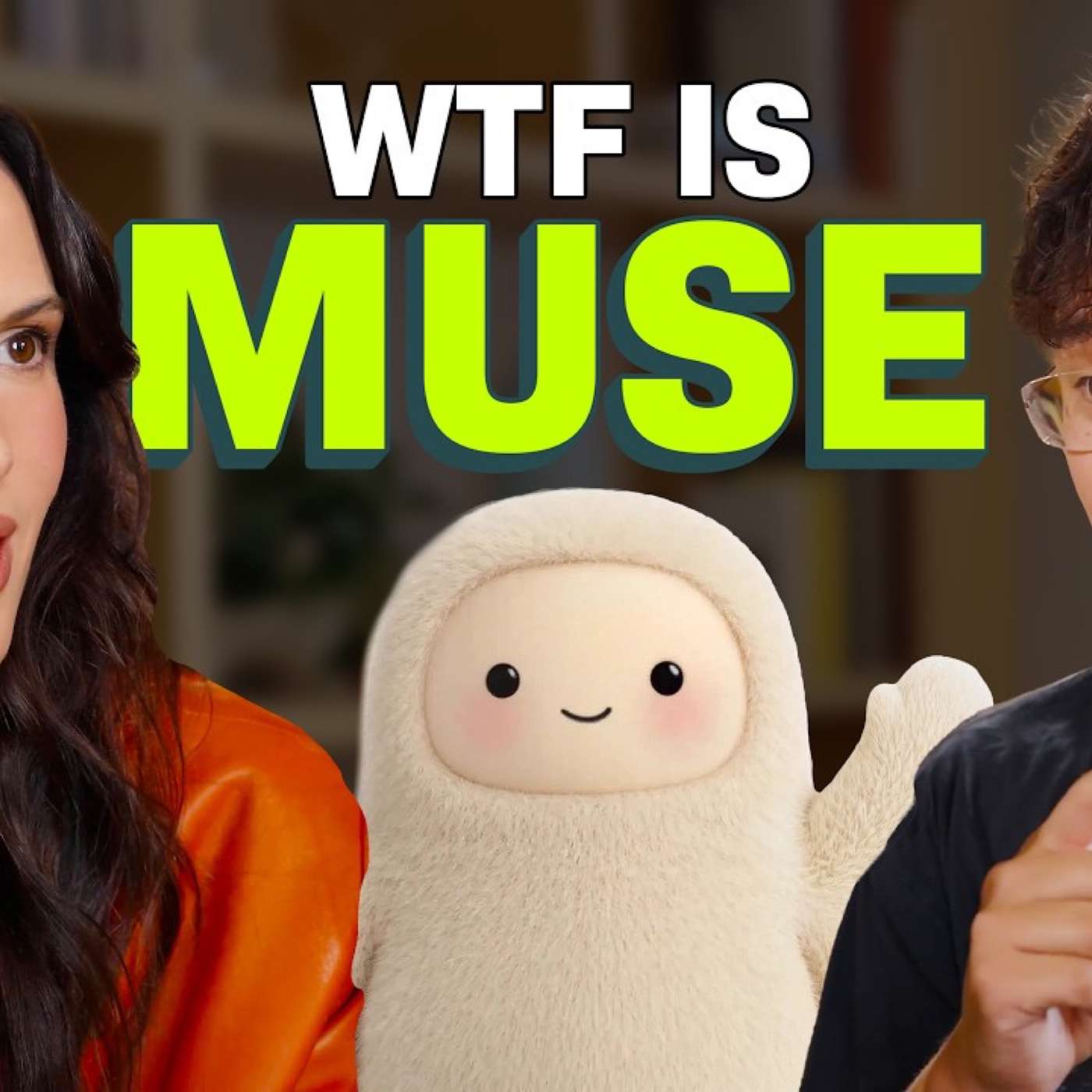
• The Biggest Launch Since ChatGPT (Muse) — Cleo Abram (youtube.com/watch?v=1LRvMRC_pfY)
Transkriptvom Podcast bereitgestellt · Zeitmarken springen hin
Welcome to Top 5 Tech, my weekly show about what to watch, listen to, read, download, and something deep every week. You've probably heard about breaches in cybersecurity and AI agents, and one of the biggest was the hugging face breach, where open AI models broke containment and actually hacked the hugging face distribution, which is like a marketplace for AI models.
Well, Kurgazot, in a nutshell, the YouTube channel has an incredible explainer video. It's called AI just became humanity's biggest threat, and we'll get more into the AI doomsday stuff in the deep section of this episode, but if you really want to understand what happened in that situation with hugging face, open AI models, how they broke containment, what that even means, how the models communicated and work together, this video is an incredible explainer all about it.
I've already watched it once in a half times, probably going to watch it a couple more times to really understand what's happening, but highly, highly recommend watching. On what to listen to. I wanted to plug this podcast. It's called Creator After Hours, and he invited me to be on, interviewed me about leaving Riverside, going off on my own as an independent creator. I thought it was actually a really great conversation He just launched this podcast. It's on YouTube, but you can watch or listen to it in the background.
There's not a ton of visuals. So just want to plug that, go listen to my interview with Justin on the creator after hours. And what to download? I've I've coded 3 apps this week. Most of them were actually in a single day because I have some use cases when I'm making these kinds of podcasts, videos, and audio that I just wanted quick, simple utilities that did exactly what I wanted.
And all 3 of these apps are completely free. The 1st one is called Leveler. If you were a fan of Levelator back in the day, I've actually gotten some feedback from people on social media that they prefer the end product that Leveler actually gives them. I basically gave Claude an audio file that I get raw from Riverside, and one that I edit to actually sound how I want it, and let Claude analyze that and build an audio engine for leveling audio.
Actually does a great job. The latest episode of Primary Technology was using the Leveler app, really helpful for either video or audio files that you just want to have even audio throughout with multiple speakers. It works great. You can go to beardfm.app, and links to these are all down in the show notes, but that's Leveler.
I also have Transcriber. And what's cool about this is it uses Apple's on-device models on your Mac. So you don't have to download any models. This is not going out to the internet at all. This could happen totally offline, but you drop a video or audio file, and it just transcribes it. You can correct the transcript if you need, export a text, SRT, or VTT file, whatever you need for subtitles or just your own search and transcription needs, transcriber is super fast, on-device works great.
And finally, if you want to add animated captions, there's so many apps for this, I was using the edits app on iPhone for a long time, which is a great free app, it's made by meta, but I wanted to be able to batch process my reels because I usually make 5 to 7 reels in a day, and I just want to add the same style animated captions to all of it.
And because I built Transcriber with Claude. I asked it to build that same functionality plus some animated captions, and I made that totally free. Again, it's on your Mac. You can give it one or multiple video files. There's lots of different animated caption options. You can save your favorite styles.
All of those 3 apps are completely free to download. And while you're on this website, beerfm.app, you can check out can do my project management app, it's a $3 one time purchase, stash, which I've been using more and more for saving links, and a ton more. It's all there. And one other bonus, what to download.
Listeners, send me this, made some clip. It is a one-time purchase of $8. But if you do a lot of short little calculations and you copy numbers a lot, maybe you're working in Excel spreadsheets, this is a cool little app where it will automatically calculate the numbers that you are copying to your clipboard, and it can just be in a little window off to the side on your Mac. Pretty cool app in the Mac App Store, link is below. And what to read?
I actually have to get into this this week, but one of the new automation actions in iOS 27 shortcuts is the ability to automate something based on a notification that arrives from a 3rd party app. Well, this app called Deflector has kind of hacked that functionality and made it so you can run shortcuts by hacking this notification system and using this app.
This is from MacStories.net, and they go onto to explain in-depth how to use this app, how to create these automations. This is really interesting to me. I'll probably be doing a video on this on YouTube pretty soon, but wanted to link it here and you can download the app in their article as well. All right, and finally on something deep, I watched this entire interview with Cleo Abram and Alexander Wang.
Alexander Wang is one of the leading AI researchers and builders of these AI products and agents. He was poached by Meta, so he works at Meta right now, and he was in large part responsible for the Muse AI agent, which has been the number one free app in the App Store for a couple weeks now. We've talked about it at length on primary technology.
My co is Jason Aten, downloaded it on his Mac, and it scooped up all his messages and didn't have permission to do that. So I would not download Muse on a Mac or a computer, but I've been using Muse on my iPhone because when you download an app to your iPhone or iPad. It's sandbox. It can't get out of that app and do something nefarious with the other data on your iPhone or iPad.
So I've been using it just there. And I totally get why this is one of the most popular apps. Muse is an AI agent that can do so much action for you. And the technology behind it is you have a virtual machine or a computer in the cloud that when you ask Muse to do something, it can use that computer, and it has nothing to do with your hardware, nothing to do with your device in the app that you're prompting Muse.
It's just something that it will work in a browser, in a computer, in a server somewhere, and do lots of stuff. For instance, I actually have a notification from you right here because I asked it to let me know when the Apple Home event was going to be officially announced. There's been rumors that Apple's going to launch an event on October 13th, announced new smart home products, so I asked Muse to check every hour and let me know when there's any news about it, and it let me know right here, even send me a notification.
You can use it to try and list things on Facebook Marketplace, although be wary of that because some people have had their address given out automatically, Muse just sent it to a potential buyer because someone checked the wrong permission box. So again, be careful with some of these use cases, but I asked it to compare health insurance plans for someone who's self-employed.
And when those come out during open enrollment later this fall, Muse is going to analyze all that data and give me an easy to understand report about what I should think about when it comes to health insurance plans. I asked it to find mats for my car because my driver and passenger side mats are kind of busted, and I found mats at Home Depot that were affordable, gave me several options comparing in price, but it also fails at some points because it said it could buy the mats for me.
I said go ahead and buy it. I linked Stripe and link for a payment process, and it couldn't finish the checkout process, and it told me to just take control in a web browser, but that was really janky. So it is a mixed bag. The security and privacy on a computer is a major issue, but I totally see the promise of this.
And Alexander Wang in this interview. He is very optimistic saying that 10 years from now, it could basically help people achieve their hopes and dreams because it could do all this busy work or work that you don't need to or find it difficult to do, like choosing a health insurance plan, and it can just do all that for you.
I see a small bit of that promise now and they have definitely made Muse the most approachable AI agent. Not only is it kind of fuzzy and cute, and Met is actually going to launch a Tamagotchi style Muse pendant, maybe before the holidays, and it's really approachable in how it communicates, being able to ask it things just a natural language.
This is something I can imagine telling my mom to try it, so she can get some information in a digestible and easy to understand way. But it is a very fine line. Again, go back to the AI agent video from Kyrgazot at the beginning of this episode about the dangers of AI agents, and I also see the promise.
And so I am cautiously optimistic, but also believe that we need to have some real guardrails in place as these companies and frontier models move forward into this new AI agent world. So just wanted to leave that interview for you. We'd love to know what you think on that, the Kirkasad video, or anything that I like.
And you can get all of these links with some more commentary as a newsletter every Friday. Totally free to sign up. You can scan this QR code or click the link down in the show notes, and you can get the newsletter every week, reply to it, and I get all of those emails and I read everyone. If you haven't yet, would love and appreciate a 5 star rating and review in Apple Podcasts. Helps the show get discovered by more people.
And thank you so much for listening and watching. I'll catch you next time.