

Take Control of Your Tech· Folge 1
Welcome to Take Control of Your Tech
Dienstag, 27. Oktober 2026 · 1 h 04
Kapitelklicken springt direkt hin
Shownotes
Welcome to the first episode of Take Control of Your Tech! On this episode, Will explains why this show exists, shares what you need to know about the eMudra and PHP security issues that happened last week (and how to secure your devices) and answers listener questions!
This week's show is sponsored by Fastmail (join.fastmail.com/will). If you want a great email provider that can help you take control of your inbox, give you single-use Masked Emails for questionable account signups, and make adding new email aliases for your domain collection a breeze, give Fastmail a try (join.fastmail.com/will).
• Ars Technica has had great coverage of the eMudhra cert story (arstechnica.com/security/2026/10/the-internet-…) and the PHP vulnerability (arstechnica.com/security/2026/10/php-maintaine…).
• There's also a Plex vulnerability (arstechnica.com/security/2026/10/recently-fixe…) which I wasn't aware of when I recorderd this.
• The command I used to extend my Fedora Server's root drive is sudo lvextend --resizefs --extents +50%FREE /dev/mapper/<volume name>
• () - Start
• () - Cold Open
• () - Intro - What Is Take Control?
• () - Ad Break
• () - The News - eMudhra Cert Vulnerability
• () - News - PHP Remote Code Exploit
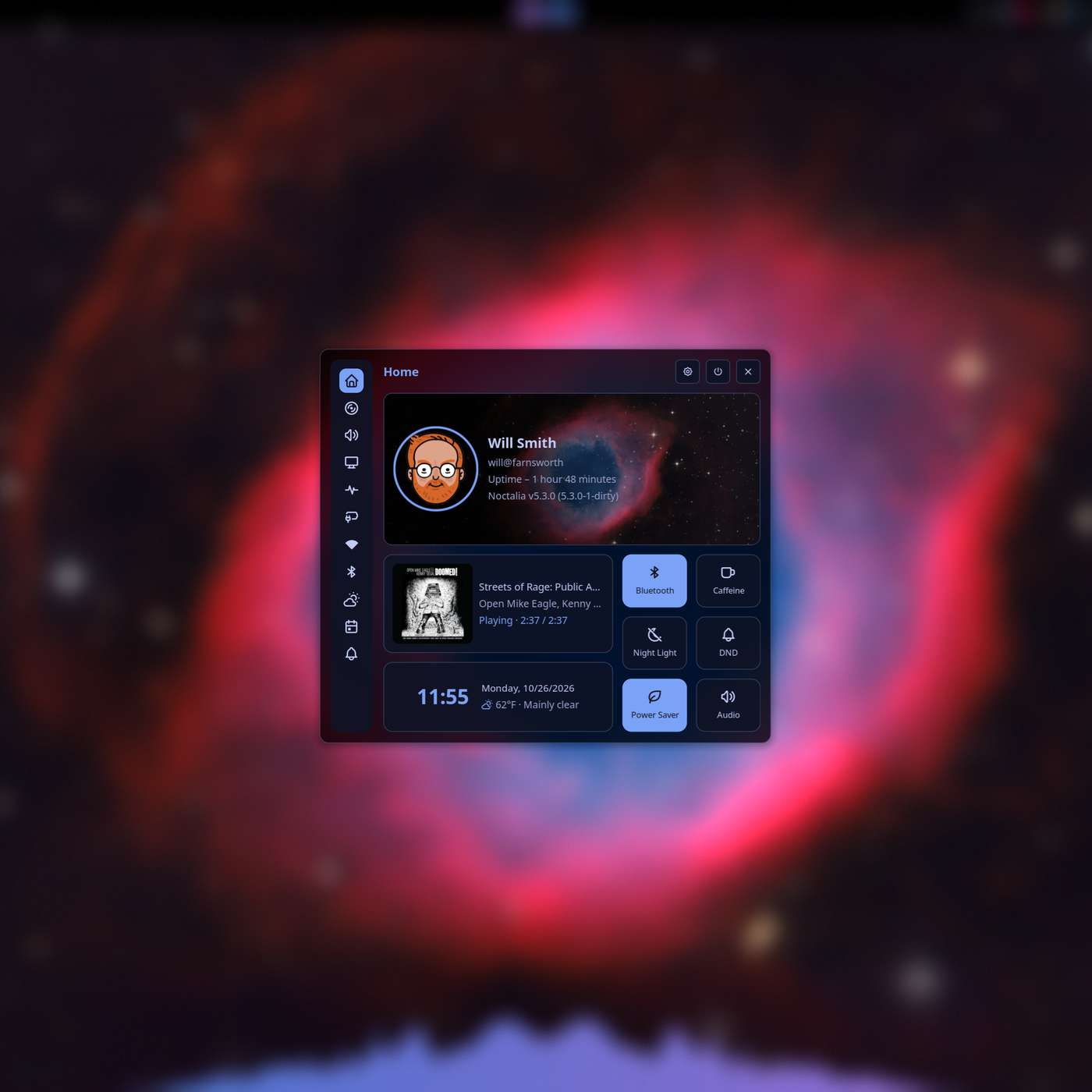
• () - Linux Talk - Transitioning to Noctalia v5
• () - Ad Break
• () - Turning a Broken Laptop Into a Home Server
• () - Listener Questions!
• () - Wrap Up - Support the Show!
★ Support this podcast ★ (takecontrol.content.town/subscribe)
Transkriptvom Podcast bereitgestellt · Zeitmarken springen hin
[Will] Welcome to episode one of Take Control of Your Tech, a brand new podcast by me, Will Smith. [Will] About making your technology work for you instead of, well, faceless multinational corporations. [Will] Today we're going to talk about, well, what this new show is, why I'm doing it, why you're here.
[Will] Listening to it, and what you're going to get from it. And then we're also going to dig into the very. [Will] Bad day that IT folk around the world had this week when there were multiple exploits happening. [Will] All at the same time that impacted servers and clients and phones and browsers and pretty much.
[Will] Everything on the internet. We're going to talk about that, explain what it is and what you need. [Will] To do to deal with it if you haven't already. We're going to talk about what's going on with. [Will] My switch to Linux since the dual boot diaries ended earlier this year. And I'm going to answer.
[Will] Some questions. Let's get started. Let's do it. Let's take control of your tech. [Will] Well, that's theme. I'm Will. Hello, welcome. We're here. It's a brand new show. I feel I. [Will] Got that new studio smell in here, but it's an old, it's the same. I'm always. [Will] This is where I always am, it turns out. Hi, this is Take Control of Your Tech. I've been working on.
[Will] This off and on for the last, well, for the last few months, but really for the last two years. [Will] Because this is a project about something that speaks to me. It's important to me. It feels. [Will] An important thing to do at this time in the world. We've talked a lot. Let'see, I'm not going to.
[Will] Say the word because I don't want to get YouTube delisted immediately, but we've talked a lot about. [Will] On the tech pod and on dual boot diaries and on the full nerd and the other places you might see me. [Will] About big giant technology companies that have turned us, the users from customers into just.
[Will] Revenue lines and the degradation of services and products Google and Adobe. [Will] And Microsoft and all the work that they've done where the OS and the tools we use and the. [Will] Software we use has just gotten consistently worse over the last several years, especially. [Will] This isn't a new thing. This has been going on for a long time. A friend of the show, Corey Doctorow.
[Will] Has been writing about this since the early part of the century, honestly. But it's accelerated in. [Will] The last few years as we've reached saturation points where billions and billions of people have. [Will] Phones and they're connecting their phones to these shared services and then pair that with the.
[Will] Rise of AI technology and both the increasing hardware costs that's caused and also. [Will] The willy nilly torching businesses that have been around for 20 years by companies. [Will] Google and Microsoft in order to drive AI revenue growth. And it's all come to a head in the last. [Will] Year and a half. This podcast, Take Control, is a culmination of two different things that started.
[Will] Last year for me. I started a newsletter in the early part of the year and I learned a couple. [Will] Of things in that. One of them is that doing a weekly newsletter is way more work than I. [Will] Anticipated it was going to be. But the other, the newsletter was What's Next for Folks Who Don't Know.
[Will] The idea was we're going to talk about how, it's the same idea. It's a little bit narrower scope. [Will] And I quickly outgrew what I felt was to talk about there? It. [Will] Started out as, hey, we can make Windows good. And then I used, I did that for a while and I was. [Will] Man, if we can make Windows good. And then I started using Linux when Adam.
[Will] Patrick-Marie over at PC World and I started doing the dual boot diaries. And well, it turns out that. [Will] Switching to Linux was both viable and interesting and gave us a lot of stuff to talk about on a. [Will] Weekly basis and was quite good for me personally. It , moving away from these.
[Will] Services that treat me the product rather than the customer made me enjoy, helped me enjoy. [Will] Computers again. I hadn't, I realized midway through this process that I hadn't been. [Will] Having fun futzing around with computers for a long time and learning to use Linux, switching to. [Will] Linux on desktop, experimenting with all the different stuff that's out there made me realize.
[Will] That could be fun. And I got back into it and I started digging in and I learned about all. [Will] Sorts of crazy stuff tiling window managers and , a bazillion other things. I also. [Will] Realized that I have notifications on, I'm going to turn on do not disturb on my near install and. [Will] Hopefully the little dings will stop and I won't have to go through and edit a bazillion of them.
[Will] Out in the background. But , no, I getting in and learning how to, I both learned how to make. [Will] Linux work for me, but I also as part of that process learned a ton about how computers. [Will] Work. I learned about how bootloaders work and how file systems work and all this other stuff. [Will] That'super gratifying for me to understand about these tools that remain despite the kind.
[Will] Of overarching crappiness of the current, late stage capitalist AI nightmare we're in. [Will] They're still transformative technologies and I'm excited about that's where we started. [Will] The mission here is really simple. It's, now in a lot of cases you're working for. [Will] These technology companies. They're constantly bombarding you with marketing messages. They're.
[Will] Trying to get you to sign up for services that you may or may not need and may or may not be useful. [Will] And they're doing all sorts of varying levels of shady stuff from the dark patterns that show. [Will] Up in your Snapchat or Instagram notification page where they just keep inventing new types.
[Will] Of notifications that you have to go in and turn off every few months to things Google's AI. [Will] Search that is frequently wrong and low value. And we're going to talk about replacements. [Will] For stuff that can't be tweaked. We're going to talk about adjustments for things that can be. [Will] Improved. We're going to talk about wholesale replacements. We're going to have a wide variety.
[Will] Of topics that are everywhere from as drastic as, yo, maybe it's time to drop Windows and. [Will] Switch to Linux or Mac OS or something else, all the way down to here'some simple. [Will] Registry keys that you can change that will give you access to Windows the way it used to work. [Will] And versus the way Microsoft wants it to work now. That's the mission. And also.
[Will] There's a whole other world of this stuff as well because there's hardware that's in the same. [Will] Category too. I look at all the projects that people do with Raspberry Pis and. [Will] ESP32s. I look at the work people are doing in home labs to self-host alternatives to things. [Will] Google Photos or Apple Photos. I look at the little Internet of Things that people are.
[Will] Building with ESP32s. And there's a whole world of opportunity to find amazing, cool, transformative. [Will] Things you can do with technology still that don't require you to pay $5 a month to Microsoft. [Will] Or Google or Meta or whoever it happens to be. We're going to get into that. We're going to.
[Will] Look at making reasoned, thoughtful decisions about this stuff. I realize that. [Will] Everybody can't stop using Windows all the time. It's not a practical thing for most people. And. [Will] For a lot of people, it's the wrong choice. The answer is to make Windows work for you. [Will] Not to throw out the baby with the bath water, I think is the metaphor for that.
[Will] We're going to talk about that. We're also going to talk about stuff games. [Will] One of the neat things that's happened in the last couple of years, especially it's again. [Will] This is one of the things that's been in the process for 10 years at this point. [Will] But the last few three, four, five years have been incredible for running, getting games to work on.
[Will] Linux in a way that never has happened before. And a lot of that is due to the work that Valve did. [Will] To make the Steam Deck possible with Proton. And I think the we talked about this a little. [Will] Bit on the tech pod, but the rise of FEX or Fex, the arm to x86 translation layer that Valve made.
[Will] For the Steam Frame is going to enable a wild number of novel experiences on smartphones. [Will] And phone devices handheld gaming consoles and things that are really. [Will] Affordable and really accessible and are quite compelling, especially when compared to the ever. [Will] Increasing price of traditional PC hardware and Steam Deck handhelds. That's the show.
[Will] It means we're going to talk about a bunch of stuff that is interesting projects you can do. [Will] Things you can do to excise different bits of software from your life and companies from your. [Will] Life, companies that I just don't fool with. I don't buy meta stuff anymore. We're going to talk.
[Will] About that and probably not this week, but in the future. And that's where we're starting. [Will] I guess. That's take control of your tech. There's as always, everything I realized comes. [Will] With a subscription. I know we just talked about dropping subscriptions. I'm an independent creator.
[Will] I'm out here. This is a big part of my job as the games industry has changed over the last. [Will] Couple of years, making podcasts and making content with people has become a larger and larger. [Will] Part of my day to day work. And the reaction we got to dual boot diaries makes me. [Will] Made me think that maybe this is a big enough topic to become, a much larger chunk of my.
[Will] Of my full time job. And I would love that. The site's up now you can go to take control. [Will] Dot content dot town along with the website, along with the podcast there's. [Will] Also a website, unfortunately, because of the state of AI crawlers on the web, you have to create. [Will] An account to log in. I'm not going to sell your email address to anybody. I'm not going to.
[Will] Spam you with a bunch of email nonsense. I might occasionally send you a newsletter when I think we. [Will] Post something cool over here, whether it's a podcast or a blog post. But there are blog. [Will] Posts I have the I have for the first time since I left tested, I have the ability to post.
[Will] Blog post easily, regularly where people can see them. And we're going to do that. It's not going. [Will] To be a super regular cadence at first. But , as the number of people subscribing come. [Will] Up, I'd to bring in more contributors and more people to both work on the podcast. [Will] Maybe make some videos, and then also just post blog posts and newsletters for people.
[Will] If you once you create your account, you can choose whether you want to get emails for me at. [Will] All. It's in the account settings up there. You can also subscribe to the site. It'six bucks. [Will] A month. I'm running everything on as open platforms as I can. There's a blog post up. [Will] Explaining all that stuff. But I started on ghost. I was , I don't want to give Patreon money.
[Will] At this point. And I built a bunch of built and adapted rather a bunch of tools that let me do. [Will] Things sync ghost account status and discord account status. And I found a provider that will. [Will] Work with ghosts to provide private ad free podcast feeds for folks who are subscribing. [Will] If you want to listen to the podcast without ads, you can do that by going to again to take.
[Will] Control dot content dot down and signing up for any tier that's there. The six dollar tier gets. [Will] You no ads. I think I'm probably also going to drop those episodes early, although there's. [Will] Some technical stuff I have to work out before we I can promise that for sure. But. [Will] I want to drop those episodes as soon as they're available. And if we get enough interest, I'll.
[Will] Probably do video as well because It's easy for me to record video with just one person or one. [Will] Person and a guest doing video episodes is relatively straightforward. And I feel. [Will] That's an important part of promoting podcasts these days. That's take control. Again. [Will] The URL is take control dot content dot town. If you go over there and hit that subscribe button.
[Will] At the top of the page, I would really appreciate it. And I appreciate everyone'support. [Will] The couple of questions I'm going to go ahead and get out of the way up front on that. [Will] Why are we using discord if we're focusing on open platforms? And the answer to that is I looked at. [Will] The discord competitors out there matrix and some of the others, I can't remember the names off.
[Will] The top of my head. But they all were missing some key functionality, whether it was the discord. [Will] To whatever the other platform was access sync that we could limit those communities to paying. [Will] Members. Or it was that the hosting was onerous or whatever. They just didn't feel. [Will] There yet. I did. I got to say I looked at discourse and I looked at a couple of forum.
[Will] Type softwares and I thought, man, maybe we should just do a forum for this. That feels it's. [Will] Maybe the answer or message board. And I'm open to that idea as well. If people if that's. [Will] Something people want, I can definitely explore that. But , that's that. The rest of the. [Will] Stuff. Let'see the host for the podcast files is a company called Transistor, which the parentage.
[Will] There is not great, but they do provide the integration for the ghost private feeds, which. [Will] Makes my life a lot easier. And then we have the ability to do show notes and transcripts and stuff. [Will] That on the ghost site. They're all just embedded. I'm using a template there called. [Will] Signal, which the folks who make that have been incredibly helpful helping me get stuff set up and.
[Will] All that. And I'm really stoked about the whole thing. I didn't want to self host anything for. [Will] Obvious reasons. I want to make content and make podcasts and blog posts not be a system administrator. [Will] But I also did want to use stuff that was more open than just chucking this up on a normal podcast.
[Will] Host and using Patreon for the subscription side of it. That's take control. Please, if you have. [Will] Questions, send them to take control at content.down. I will put them in the queue. You can do audio or. [Will] You can just send me a text question and I'll be happy to read it. But , I appreciate you all.
[Will] And that is what the show is about. Now, let's take a quick second and we're going to talk about news. [Will] Today's episode of Take Control of Your Tech is brought to you by Fast Mail is a mail. [Will] Provider for people us. I use it every day. It's my absolute favorite mail provider. I wrote.
[Will] About it on the blog last year. But the reason I love it, there's a bunch of reasons I love it. [Will] The big one is that it's user configurable and you can hook it up to a whole bunch of different. [Will] Domains. And it means that creating new accounts on those domains for your podcast and your.
[Will] Twitch stream and all the different things you do for your Etsy store, for whatever, is as easy as. [Will] Opening up a menu and creating a new email alias there. You can filter those aliases that even. [Will] Before they hit your normal anti-spam filters and all the stuff, they all just get dumped into a.
[Will] Folder in your inbox. You can forward them to other addresses if that's what you want. And it. [Will] Makes it really easy for folks who own a bunch of domains to really get a handle on their. [Will] Email situation, get all of their emails in one place. I've been using it for several years now.
[Will] I'm a big fan. And if you want to support the show, you can go to join.fastmail.com. [Will] And sign up. I'll get a little bit of cheddar cheese. You get a great email service. Everybody wins. [Will] News! Now it's time for the news. Eventually, I'll have some news stinger that is. [Will] But we're still figuring that out. It's been, when I originally set out to do this.
[Will] My plan was to go down all of the news that has happened in the Linux world. [Will] Or at least the important stuff since we shut down dual boot diaries this summer. [Will] And then this morning as I set out to record this, there was a one-two punch of terrible. [Will] Terrible exploits and internet problems that I thought were probably more important and.
[Will] Relevant to talk about. We'll do some legacy news next week, but this week we're going to talk. [Will] About the very bad day for system administrators and IT folks today. If you're in that category. [Will] Of person, I'm sorry and thank you for your service. This was, I said, two big vulnerabilities.
[Will] Affect pretty much an enormous number of servers and an enormous number of client devices across. [Will] The web, which is a real double whammy of bad news for folks who work in these spaces. [Will] Here's what they are. The eMudra, which is an Indian certificate company. [Will] Had some private key certificates that were, sorry, private keys for widely.
[Will] Distributed certificates are things that determine that the company you're talking to. [Will] The server you're talking to is the server it says it is. And those certificates all. [Will] Flow downstream. There'll be a high level certificate and it will authorize a bazillion. [Will] Other certificates. You'll pay this company and they'll generate a certificate for your machine.
[Will] That says, oh , this server is this server based on the authentication, the cryptography. [Will] And on the certificate. They had some top level certificates that were single character private. [Will] Keys. , how we always say make your passwords long, it's better to use a bunch. [Will] Of words than a character thing that's impossible to follow, impossible to remember.
[Will] They had a private key that the password was for, is my understanding. These are. [Will] Intermediate certificates. There's eight of them. And the fix for this is to just update a bunch of. [Will] Software and tell it to ignore those certificates from now on, which by the time you hear this. [Will] OS's, browsers, a ton of apps, a lot of other infrastructure is already taken care of. Now.
[Will] We're going to be finding stuff for weeks, maybe months, old Linux machines that are in a. [Will] Closet someplace that you forgot about and just run quietly to themselves. [Will] Docker containers, apps that hardly ever get updated. All of that stuff is going to. [Will] Have to be updated to block these certificates. It's bad. This is a bad one because it requires.
[Will] A whole bunch of people to do a whole bunch of updates on the provider side for the software. [Will] And then it also requires a whole bunch of people to update their devices. [Will] Which people traditionally are bad at. Now browsers are good at this. That's good. But. [Will] As I told my wife and daughter, as I was helping them update all of their devices this morning.
[Will] You probably don't want to use apps for things banking and stuff that until you. [Will] Pull down an update that fixes this problem. The browsers are safe at this point. [Will] Most likely assuming the servers have updated their stuff, which we'll talk about in a minute. [Will] Because everybody's doing server updates at the same time. This one, the doubt.
[Will] What can happen if you have this problem, if you're affected by this. [Will] The main thing is that man in the middle attacks where somebody puts a computer between. [Will] You and the person you're trying to talk to and it mimics both sides of that conversation to the. [Will] Other one, can sniff things passwords or bank logins or , I guess that'still a password.
[Will] But the stuff that you maybe don't want to share, credit card numbers, all that stuff that's. [Will] Encrypted with this certificate on the web, somebody can set up something in the middle. [Will] That grabs your stuff and then passes it on to the next person. You don't even know it's been. [Will] Grabbed. Again, this one's I said, this one's pretty bad and it can affect, I said, OS's.
[Will] Browsers, apps, Python scripts, Docker containers, IoT devices, all of that stuff. [Will] That's the eMudra. I'll put a link in the show notes to an Ars Technica article that's. [Will] Quite good explanation of what's going on. The Ars article directly by Dan Gooden. [Will] Directly compared this to Heartbleed, which was the previous biggest flaw, which was an actual flaw.
[Will] In the cryptographic library. Now, this isn'that this isn't a flaw in the cryptographic library. [Will] This is just somebody who had permission to issue high level certificates, making an incredibly. [Will] Stupid decision at some point along the way. It seems it's too early to know exactly what.
[Will] The no fault postmortem on this is. But , anyway, we should block all of the you should. [Will] Block all of these certificates. And this is one of those places that we've talked about in the past. [Will] Where if you're still running an old version of Windows, if you're running Windows 10, you.
[Will] You use edge on Windows 10, which for the love of God, don't use edge on Windows 10. [Will] It's those certificates maybe haven't been updated yet because Microsoft's a little. [Will] Slow updating Windows 10 these days. That's eMudra. The other one is arguably worse, but. [Will] Probably not for consumers, not for people us. A version of PHP that a ton of.
[Will] Servers use around the world for these services and a bunch of other stuff has a remote. [Will] Code exploit, which means that an attacker can open up a run a program attack the server, and then. [Will] Run whatever code they want. They can download a script that lets them gives them full. [Will] Ownership of the machine and on and forth. This mostly applies to servers, although if you do.
[Will] Have a home lab and run local services and stuff that, you want to update those to solve this. [Will] Problem. But it is available in the widely used versions of PHP. I've seen a bunch of websites. [Will] Go down and come back up as people have updated their PHP versions. Part of the challenge with.
[Will] This is a lot of the software is maybe poorly maintained now because some of it's quite old. [Will] Obviously, MediaWiki and WordPress are fine, but there's a bunch of PHP apps that are out there. [Will] There's a bazillion old PHP BB instances floating around the web that I'm sure haven't been updated.
[Will] Stuff that. You'll want to update any machines that you have that run that stuff. [Will] If you self host home lab stuff inside your house, this is definitely the time to update those. [Will] Those machines, especially if they have access to the broader internet. , I don't. [Will] Think Plex uses PHP. But if you're using services Plex that punch a hole in your.
[Will] Firewall and your ports open for them, you probably want to close those ports until you can update. [Will] Those services. How do you fix this stuff? The answer is unfortunately the same for both of them. [Will] You have to update your computers. By the time I recorded this episode, both in the afternoon of.
[Will] The day that this stuff was announced, Microsoft and Mac OS and most of the bigger Linux distros. [Will] Have already patched. My cache OS had a patch this morning when I turned on the computer. [Will] My wife's Mac had a patch by nine o'clock in the morning. The Windows 11 machine in my office was.
[Will] A similar situation. You also want to update your browsers, the browser, the main browser. [Will] Manufacturers were fast. And even the second tier, newer browsers helium and. [Will] Those were already had to fix as well for the certificate problem. [Will] You want to update your internet thing stuff. This is the more challenging one.
[Will] Anything that connects to the internet, or anything that uses certificates or anything that uses. [Will] That has the little check mark and the shield when you log into a website. [Will] You want to make sure that those SL certificates are current and the bad ones are blacklisted or. [Will] Disallowed. And you're going to have to do that by updating them. That means if you have.
[Will] Smart hubs, if you have bulbs, if you have all sorts of internet of things, devices, smart cameras. [Will] All that stuff has to get updated. And it's going to be I spent most of the morning doing. [Will] That in my house, it takes a fair amount of time, you have to really think about it. This is one of.
[Will] Those places where I really wish I had a big giant database that just listed everything I have in the. [Will] House. I ended up loading up the web console for my network stuff. [Will] And looking to see what devices were there and see what I'd forgotten. I had to. [Will] Update my printer, which is that was new and exciting. Let'see, if you can't update anything.
[Will] The thing to do is to cut it off from the internet. Turn off this external services. [Will] Close those portals and just use it internally in your house for the time being. I spent a lot of. [Will] Time this morning updating my wife and daughter's devices. Funnily enough, it also gave me a reason.
[Will] To help my daughter manage the amount of space on our iPad, which good God, that's a terrible. [Will] Experience Apple, you all need to work on that's, that is what's going on. [Will] With the moodra and the PHP remote code exploit. Let's take another quick break, and I will be back. [Will] With updates on Linux, it's time. For folks who don't know, a year back and listen.
[Will] There's 40 some episodes of dual boot diaries that detail my journey from a day to day Windows. [Will] User to a let'say 90 ish seven days a week minus a couple hours a day, a couple days a week to play. [Will] Games that don't really work on Linux, because of anti cheat and stuff that. [Will] But , I've been using Linux for more than a year now, it turns out and I quite it. I'm a.
[Will] Cachey OS user, I'm running Neary, which is a tiling window manager. If you go hit that last. [Will] Episode of dual boot diaries, you can see on the YouTube channel, I'll put a link in the. [Will] Show notes, but you can see my desktop setup there. It's quite, it's been incredibly. [Will] Empowering, I'much more productive. I'm feeling really good about it. I quite enjoy what we're.
[Will] Going to continue talking about it. But people have been asking for an update on how things are. [Will] Going. And part of the Neary experience. Neary, I said, is a tiling. [Will] Window manager, which means your windows are instead of being scattered about on a. [Will] Desktop, and you can drag them on top of each other and stuff that, they just are a line.
[Will] A radinal line. And the line is infinite. You can use keyboard controls to scroll back and forth. [Will] Between the different applications open on your desktop, you can use other keyboard commands to. [Will] Switch between virtual desktops. And secondary lines of the programs, you can put. [Will] Different lines on different monitors, all sorts of cool stuff. It's incredibly powerful.
[Will] Metaphor for desktop computing. But you use Neary as the window manager, it just controls where the. [Will] Windows go. There's a whole other layer of stuff above that called a shell that is doing. [Will] Window chrome and giving you the little applets that control your Bluetooth devices and all that.
[Will] Stuff. Now, if you're a real Linux head, you can do that with the command line, you can. [Will] Just get into a terminal and control all of that stuff. I'm not quite there yet. And even if I were. [Will] I don'think I'd want that. I think I having a UI for, humane computing. And I use. [Will] A thing called Noctalia to help with that. Noctalia shell came out last June of 2025.
[Will] And they've iterated incredibly quickly on it. But at the end of the v4 cycle, they realized that. [Will] They'd hit the limits on the technology that they were using underneath Noctalia thing. [Will] Called quick shell, and wanted to rewrite some core functionality from the ground up. And they.
[Will] Started working on that this summer. And the v5 version, the current rewritten version just came. [Will] Out during this interim. And I made the switch over. It's fabulous. It's a huge. [Will] Improvement in terms of performance and speed. I quite it. And the configurability and. [Will] The options that they give you to make your desktop feel your own are.
[Will] Really a whole step ahead of what we had before. I think we've reached a point now where. [Will] Noctalia v5 is on par or better in terms of functionality and usability and features. [Will] From where were with the v4 version. And I would highly recommend if you're interested. [Will] In trying it out, you load up another instance and are put in a VM and give it a swirl.
[Will] The I said, I've been using it for a few weeks now. The migration was a little bit. [Will] Challenging. You configure near you with a text file called config dot kdl. It lives in your dot. [Will] Config slash near e directory. Usually you can put it as with anything Linux, you can put it. [Will] Wherever you want. But I had to go through and edit some stuff in that config file that controlled.
[Will] Things key bindings and things that triggered near features or Noctalia features. [Will] Rather. I had to rebind anything that used a quick shell qs space Noctalia shell. [Will] Which was how you triggered the old quick shell commands for something that was just. [Will] Noctalia msg and then the same command. It was having a text editor open and having.
[Will] The web browser open with the new commands and updated rewriting the maybe 15 or 20. [Will] Commands in my near e config that connect directly to Noctalia shell. I did also at the end of the. [Will] Noctalia of the near e config file, there's the thing that launches the Noctalia shell. I had. [Will] To change that to point to the new version. The nice thing about this is you can keep.
[Will] Both the old version and the new version on the same machine. There's no conflicts. The only thing. [Will] That you do is change the version of Noctalia that launches the new one is just Noctalia and the. [Will] Old one is Noctalia space shell or dash shell. I could go back and forth while I was while.
[Will] I was doing the transition when I messed something up. The let'see I did that the first thing I did. [Will] Was made a copy of that config file and named it v4 and then I made a whole bunch of changes. [Will] And then I accidentally rewrote overwrote those changes because I was a doofus and I did it all.
[Will] Again, which would have taken a little bit less time had I not made the basic had I not. [Will] Started typing without thinking about what I was typing. [Will] That got not near e and Noctalia set up, but I then had to reconfigure Noctalia to do the. [Will] Settings that I wanted and to look I wanted. I picked things color theme and how it.
[Will] Presents the bar. This is for people who don't use Linux. This is the place that Linux. [Will] Really shines. You can make your operating system work exactly how you want. If I want. [Will] To have a dock on Mac OS, I can put a dock down if I wanted the bottom of the screen, I can. [Will] Put at the bottom of the screen. If I want on the left side of the screen, I can put on the left.
[Will] Side of the screen. If I just want a taskbar type interface Windows, I can configure that. [Will] Using the built in Noctalia configuration stuff. If I want a top bar that is the. [Will] Best of both worlds, it's the Windows taskbar and also the Mac OS menu bar. [Will] I can do that. And you can configure all of this stuff with built in widgets and tools.
[Will] There's a bunch of extensibility, you can grab plugins from the Noctalia community. [Will] And you can build your own plugins. They'relatively straightforward. [Will] And I was able to configure all that stuff in Noctalia, get all my wallpaper set up the way I. [Will] Wanted, get the clock to read the time format and all that stuff. And then.
[Will] This is I think new, I was able to go into the Noctalia settings page and export that. [Will] Config file. I we talked about this in the dual boot diaries, but I saved my. [Will] Neri configuration in a GitHub repo that I can make changes one computer, upload them to. [Will] GitHub, and then pull them down on my laptop or any other computer I happen to be using.
[Will] And that was amazing when I wanted to make this switch because updating my laptop to use Noctalia. [Will] V5 was as easy as installing the appropriate Noctalia package for my distro, and then. [Will] Pulling down the new version of the config dot KDL file and from Git and GitHub and rebooting.
[Will] And when I came back up, I had Noctalia was just there ready to go, then Noctalia v5 was ready to. [Will] Go. But it was the default version. And I wanted it to look the same on all my computers. I. [Will] Grabbed that config file I exported from the desktop PC. And I chucked it in the I think it's.
[Will] Dot config slash Noctalia folder. And the moment I dropped that folder that file in the folder. [Will] Noctalia just switched to look exactly it does on my desktop PC, which is absolutely wild. [Will] To me. It felt legit computing magic was really neat stuff. And I. [Will] It's one of the things that Neary does that I didn't realize Noctalia did until I did that.
[Will] But Neary, when you make a change to the config file, it just parses the file and assuming the. [Will] File parses correctly, it just applies the change immediately. You don't have to log out or log in. [Will] Usually, it just starts working. And the Noctalia picking that change up as well. [Will] Was really good. , it placed my bars in the places, it named my it styled my.
[Will] Workspace names correctly, it arranged the system tray equivalent, and all of my little. [Will] Widgets that are up on the way on the menu bar, the same and , it's a really impressive. [Will] Really impressive tool. I've had a couple of weird bugs. They'relatively minor and cosmetic. The. [Will] Biggest one is that Noctalia v5 lets you black out the corners of your screen. If you.
[Will] Have if you want to make your screen look it has Mac style curved corners instead of. [Will] Square corners, screens usually have, you can do that. When I flip that switch on, they're all. [Will] The amount of space that's curved is fuzzed out in a weird way. And. [Will] Exactly what's going on there. I need to submit a bug for that. But that was the.
[Will] Big one. I also switched to Noctalia greeter, which is another new project from the Noctalia folks. [Will] It's a desktop manager in Linux is from a practical purpose, it's the login. [Will] Screen. It's the thing that it's the graphical UI that pops up that you type a password and. [Will] Username into. And it launches into the windows into the windowing manager. It.
[Will] Says, this person has authorization to use his computer, and then it launches, whether it's. [Will] Katie or gnome or near your hyperland or one of the other million compositors desktop. [Will] Compositors, a desktop environments, it launches that for you. They greeter because. [Will] It's really fast, it's integrated tightly with niri or with Noctalia rather, that when I.
[Will] Change my styles or theme or whatever in Noctalia, it'll automatically update the greeter post for me. [Will] It's a little bit more involved to set up. I'll probably talk about that next week or the week. [Will] After. But , definitely, if you're starting out with a new install, I would probably go ahead.
[Will] And start with that, especially if your distro supports it. But switching from SDDM to that. [Will] I had to do a fair amount of shenaniganry and command line work would have been, I said. [Will] Definitely if you're starting from scratch, you want to choose that if that's an option. [Will] Given you when you make the change. Let'see, I think that's probably a great time to take.
[Will] A quick break and hear from our sponsor again. And then we'll talk about my new server, which I also. [Will] Set up. I talked about this toward the end of the dual boot diaries and we can get into that a little. [Will] Bit. , this episode of Take Control is brought to you by Fastmail, the mail server, the mail.
[Will] Client, mail client, mail server, mail provider, their email for nerds us, they give you. [Will] Access to things infinite addresses on your subdomain. You can you hook up your domain. [Will] Your fast mail at a domain level. And then if you want to make tech pod at content dot town or. [Will] Take control at content dot town or whatever you want to put in those subdomains, you can.
[Will] It's really incredible. It's a really powerful tool for managing complicated email boxes. [Will] And if you they've been kind enough to sponsor the podcast. If you would to get access. [Will] If you'd to sign up for fast mail, it's thirty five dollars a year. It's an incredible. [Will] Service. You can do by going to join dot fastmail dot com slash will and I'll get a.
[Will] Little bit of money. You'll get a great email service. Everybody wins. Thanks. Fastmail. [Will] We're back. The game server, the Plex server. I have we've talked about home lab stuff on tech. [Will] Pod and on dual boot diaries before, but I have a couple of servers in the house. I have a Synology.
[Will] NAS that just is a big giant bucket you can dump files into. It's really convenient. [Will] And then I also have a small NUC, one of those I think Intel started calling those the. [Will] Nuclear unit of computing, but they're little hockey puck size computers that's from. [Will] Beelink. And that Beelink server has gotten it's gotten a little janky over the last six or eight.
[Will] Months. It started crashing occasionally and some heavier loads are causing it problems. It's a. [Will] Passively cooled it makes sense that it's having issues. But I had a dead laptop here. [Will] A laptop here with a broken hinge that's lunar lake. It's a really nice laptop with a hinge that.
[Will] Broke just after the warranty expired. And I was I wanted to set that up as the home server. [Will] Because it's got the appropriate video encoding cores for Plex. It's got a bunch of CPU cores for. [Will] All the other stuff that I doesn't do GPU acceleration and it has the Intel Xe. [Will] Video transcode for turning HDR videos into SDR videos and stuff that.
[Will] It was a little bit of a process to get this working. I at first the first thing I had to do. [Will] Strangely was open up the whole case and disconnect the monitor connection inside the. [Will] Inside the computer. Most laptops it turns out won't put a bio screen or UEFI screen up on an. [Will] External display. And this is definitely one of those. In order to get the bios and UEFI.
[Will] Stuff to display on the external monitor since the hinge for the main laptop isn't working. [Will] Anymore, I had to open up the computer and do some surgery. I got that done. And then it was. [Will] Really easy to install fedora server on this thing. I put just the fedora server with the. [Will] Little console thing on. They do the same dopey thing that Ubuntu server does where they.
[Will] Set up the base route partition as a volume on the file system. And it was only. [Will] 15 gigs. I had to do a little bit of work to easily to resize that by using LV extend. [Will] Which let me make the root partition. [Will] If you are running a computer with a whole bunch of VMs on it, and you want to have individual file.
[Will] Systems for each of those VMs makes a ton of sense to do this way. For a home lab machine that. [Will] I just want to be able to install some stuff on and have some Docker containers running or podman. [Will] Containers running or whatever. It's a little goofy. I extended to be half of the. [Will] Available drive space, which is a few hundred gigs. And then Installed podman on that route.
[Will] And I'm running podman containers for most of the other stuff. It'still contained and. [Will] Containerized and all the things you're supposed to do on a server these days. But I have enough. [Will] Space that if logs go crazy, or if I wanted to do some file caching later to make. [Will] Network performance a little bit better than I can. I used LV extend, which is the tool that ships I.
[Will] Think It was pre installed, I don'think I had to install that to just extend the volume. [Will] Of dev slash mapper slash the volume name, which was, I think fedora root or something that. [Will] I'm running Plex is the only thing I've gotten up and running there. I haven't put the. [Will] Linux game server stuff on yet on the recommendation of a bunch of people including Brad Shoemaker over.
[Will] The tech pod and folks in the tech pod discord. Instead of running Docker and putting portainer. [Will] Which is an enterprise software for running a whole bunch of Docker containers in. [Will] Big giant clusters and having them all talk to each other and stuff that. [Will] I went with something new, I did something a little different. And I set up pod man on this.
[Will] Fedora machine. I got it all running really easily the Docker and pod man containers and the. [Will] Language the language you use for launching them and configuring them is more or less the same. [Will] I didn't I'd use Docker compose, which is a thing where you set up a little yaml file a yml file.
[Will] With each dockers, variables and the things that they need and all that stuff we. [Will] Where you mount drives where you which ports you open, what variables get passed through stuff. [Will] That. I didn't use those, I just use the command line for this. And I was really pleasantly surprised.
[Will] At how easy it was I was able to get it as I was able to set up the pod man container. And then for. [Will] Plex, and then get it to open automatically by setting up a system control service almost. [Will] Immediately. And I'll post the guide that I used for that in the show notes for folks who.
[Will] Are interested in that or alternatively send it an email and we can talk about more of that later. [Will] But the performance has been incredible. I can run multiple streams at once and they can be trans. [Will] Coded and they can have subtitles and they can do str to HDR and all that stuff. It turns out my old.
[Will] N 100 powered beelink machine was maybe a little bit underpowered for modern Plex and this new one. [Will] Is really beefy and fast and quiet and uses a little bit more power but not much. Overall. [Will] A really good thing I next thing is to move the rest of the containers over I have my game.
[Will] Servers and all that stuff running one machine and can retire the beelink or at least. [Will] Pull it out of service for now. That's it. I'm I think generally speaking, this feels a much. [Will] More reasonable approach to containers than using something Portainer for this. [Will] There's a bunch of other topics that we're going to get to in coming weeks that I've done since.
[Will] We shut down dual boot diaries. The quest to get a fingerprint sensor working on Linux has. [Will] Finally been completed. I figured that out a couple of weeks ago. I want to get my Windows. [Will] Affinity apps working in Linux. I want to rework the partitions on my desktop to make more sense.
[Will] For the way I use the PC now since I'm pretty much Linux first and Windows second. [Will] And Windows really only for DRM games at this point and maybe an occasional Nexlander video. [Will] I need to figure out a better way to use Dropbox on Linux. I've been using the. [Will] R-Clone, which is the service that connects to the different cloud services and.
[Will] Just mounts on your file system. That's pretty good for everything except for Dropbox. The Dropbox. [Will] Latency is really bad. I can't figure out why. I haven't been able to fix it. I've. [Will] Spent a fair amount of time troubleshooting it, and I need to explore some other options. [Will] Because Dropbox, it turns out, is pretty important to my day-to-day workflow. I did manage to get.
[Will] LocalSend working, which owns. That's a utility that is an open source equivalent to. [Will] AirDrop that lets you send files around to other computers on your network and other computers. [Will] Nearby you. Then I've got some calendar syncing stuff to talk about, as well as Glance's app. [Will] Which we talked about on the tech pod, but I'm absolutely in love with this. It's a little.
[Will] Service you can self-host that lets you build a custom landing page for your browser. [Will] I've replaced my new tab screen with this, and it gives me the news that I care about from the. [Will] Sites that I want. There's YouTube videos, there's Twitch streams, I have different tabs. [Will] For games and tech and general news and all that stuff, and it gives me a really.
[Will] Finely tuned interface for farting around on the web, which I appreciate. [Will] It also tends to keep me off of the places that are maybe less good for me. Rather than digging. [Will] Into Google's AI-driven news feed now, I just get the news from the places I care about, which. [Will] Turns out is quite good. I spent some time learning how to use Proton tricks a little bit to get some.
[Will] Games running that don't necessarily work out of the box with Linux, that was quite good as well. [Will] We'll talk about all that stuff in coming episodes. But now is a great time to take. [Will] Some questions from the audience. If you have a question for Take Control of Your Tech. [Will] You can send it to takecontrol at content.town. The thing I told people to do worked really well. If.
[Will] You want to send an audio question, keep it under a minute and maybe give me a little bit of a summary. [Will] About what it is in the email I can sort them and categorize them. But just open up your voice. [Will] Recorder and hold it up to your mouth this and record it. You'll get a really nice, clean.
[Will] Audio signal and you can send me that file as a WAV or an M4P or MP4 or whatever. M4A, I guess. [Will] Is what Apple labels them as these days. And I'll maybe put it on the show. We've run a little long. [Will] Here today, but I have a couple of questions queued up. Our first one is from Dick and it is about.
[Questions] Hi, my question is, what would your recommendations be for a great first Linux futzing laptop. [Will] A futzing laptop. [Questions] I'm a Macbook Pro user since forever. Are there any that have the same build quality? 13 or 14 inches, preferably. [Questions] I put in a down payment on a preorder for a X7358H framework, but I'm not sure if I want to pay that much.
[Questions] I'm toying with the idea of learning the code, but I'm not sure how much hardware I need. [Questions] The new super cheap 13-inch Dell XPS 13 looks a banger. [Questions] Thanks much for all your hard work throughout the years. [Will] Thanks, Dick. , this is a good question. I this question a lot. Let me get this audio file.
[Will] Stopped. There we go. The futzing laptop is something we talked about on dual boot diaries. [Will] When I was learning Linux, when I was just starting out before I was confident enough to do this on. [Questions] Thanks for watching. [Will] The day to day, having a machine that was low risk that I didn't need for work, that I didn't need for.
[Will] The things that I do every day was incredibly powerful. And I was working at PC World all the. [Will] Time I could just grab something off of the hardware shelf in there and take it home and give. [Will] It a try. That framework laptop is lovely. It's a really nice laptop. It'super. [Will] Repairable and configurable by the end users. It's not necessarily the same build quality as a.
[Questions] You. [Will] MacBooks are closed boxes for all intents and purposes. You're not. [Will] Supposed to open. And the framework is the opposite of that. It is a machine that's meant. [Will] To be opened up and hardware swapped out and taken apart and changed. The new design is closer to a. [Will] Unibody Mac than anything they've done to date. But I haven't spent a lot of time with it in person.
[Will] But even from what I've seen, it'still not the same fit and finish you're going to get. [Will] From a Macintosh, I don'think. That XPS 13 is the latest in a long line of Dell XPS 13s. [Questions] You. [Will] They've done when I looked, it was a bazillion skews, 14 or 15 skews over the last decade.
[Will] Or . And this is the one that released this summer for $800 is what I assume you're talking. [Will] About. It is a Intel Core 5, 326 core, eight gigabyte of RAM, $800 machine is the. [Will] Base model. There was a really good level one techs forum thread that I found that I'll share. [Questions] You.
[Will] In the show notes that walked through different people trying it out. I also found Jeff. [Will] Geerling video about him where he put Fedora on it. And I don't have any experience with that. [Will] Particular XPS 13, but I did use the last the previous model quite a bit. And I was able to. [Will] Get they supported on that particular machine. One thing is Dell is reasonably good about listing.
[Questions] You. [Will] The hardware that they support. The arch wiki and the Ubuntu hardware here also good. [Will] For showing you which machines are supported and what you're going to have trouble with on. [Will] Different distros. Usually when I'm buying hardware to use with Linux, I cross reference.
[Will] A the manufacturer, especially if it'somebody system 76 or framework or Lenovo or Dell. [Will] Who has pretty good eight Linux support. And then I look at those user supported areas. The arch. [Questions] You. [Will] Hardware repositories especially good because they provide packages and tools that you need to get.
[Will] Things working. On that last gen XPS 13, I was able to get everything working but the webcam. [Will] And I need to wipe that machine and see if I can get it up and running again now. [Will] Because it's been a minute since I did anything with it's my experience with. [Will] Laptops and Linux is that the older the machine you have, probably the better off you are.
[Questions] You. [Will] The hard stuff to get working is often stuff fingerprint sensors and biometric cameras and stuff. [Will] That. The XPS 13 I specifically had a hard time getting the webcam working, but that was. [Will] Because they had a weird controller that turned power to the webcam on and off when it wasn't.
[Will] Being used. It would effectively disconnect and stop draining any power when that. [Will] Webcam wasn't being used, which is great from a battery perspective, but not great from a hey. [Questions] You. [Will] I want my webcam to work on the laptop perspective. And it looks I looked at the wiki for that.
[Will] To see if they'd solve that problem. It seems it probably is solved now. [Will] But , I would look at those different places when you're thinking about hardware. [Will] I would look hard at a used laptop out honestly, if you could find a two or three year old laptop. [Will] For a reasonable amount of money, you probably have better performance than that eight gig.
[Will] XPS 13. But that a XPS 13 reviewed really well, people seem to quite it's a it seems to. [Questions] You. [Will] Be a really nice machine. I don'think you would go wrong with that. I think you probably. [Will] Save a little bit of money if you bought a used machine that'slightly was a slightly.
[Will] Better skew at launch and is available now. That's that. The main thing is to just to. [Will] Have something that is not mission critical to you that you can that if you break it. [Will] It's not going to be the end of the world. You're not going to be up until three o'clock in the. [Will] Morning fixing something for the next day's work. Anyway, good luck and let us know how it's.
[Questions] You. [Will] Going. And keep us posted, Dick. Thanks for sending the email. And our next question comes. [Questions] You. You. [Will] From Fernando. [Questions] You. [Questions] Hey Will, this is Fernando Merland. I started my Linux journey in October with Dual Blueprint Diaries, and now I haven't logged into my Windows partition since January.
[Questions] However, I still feel lost in the day-to-day when it comes to browsing my computer through the console. [Questions] I also have ADHD, and it's hard for me to learn if the source material is not something I'm particularly interested in, which I would say disqualifies. [Questions] This is something I feel I need to learn, not something I'm excited to learn.
[Questions] Do you have any source recommendations for learning the basics of file structure, navigation, and other 101s that won't make my brain daydream of 30 seconds. [Will] I think this is a common this is one of those common Linux questions and. [Questions] Thank you. [Questions] You. [Will] We're not in the business of myth busting myths over here. But I feel this is.
[Will] One of those myth busting situations? I don'think you need to know the. [Will] Difference between the VAR slash opt and slash user slash lib and slash user slash local slash. [Will] Lib and all the different places. The main things you need to know are that your files should. [Will] The stuff that you're working on, the stuff that you use and the configuration files that are.
[Will] Specific to your user all should live in your home folder. In my case, that'slash home slash. [Questions] You. [Will] Will the slash file, there's a couple of confusing things about Unix OS is Linux. [Will] The big one is that there's two roots? There's the slash folder, which is the root. [Will] And then there'slash root, which is the root user's home directory. Now, you shouldn't really.
[Will] Ever fool with the root user's home directory. But that slash root is where everything else mounts. [Questions] You. [Will] Everything else connects to the machine. Your external drives, in a modern. [Will] Desktop Linux probably won't do this. But in the old days, they would show up in slash.
[Will] Mount slot and then a folder name. And that's how you'd access an external drive. Most for most. [Will] Users using desktop Linux, I think if how to CD, which is change directory, you type. [Will] CD and then the directory name and it'll change that directory. And that can be either. [Will] The directory that you're in currently or you can type the whole path. If you want to go to.
[Questions] You. [Will] Home slash Fernando slash dot config, you type CD space slash home slash Fernando slash dot config. [Will] And that'll move you into that folder. LS, which I think is short for list, but I'm not 100% on that. [Will] Gives you a list of all the files in that folder? And then CP is copy and MV is move and RM.
[Will] Is remove. And that's the bulk of what you need to know. Because realistically. [Questions] You. [Will] The file browsers for most distros and most desktop environments Nautilus for genome. [Will] And I guess what people use on KDE these days, but those file managers. [Will] Graphical file managers are pretty useful. And you really, for the most part, don't need to modify.
[Will] Stuff outside your home directory as an end user all that often. That's what I would do. And. [Will] Then the follow up is yes, for a resource. The resource is pick a project that you can do from. [Questions] You. [Will] The command line that you need to do from the command line. And then just look that stuff up.
[Will] As you're doing it, look it up as you're doing it, taking a course following a. [Will] Khan Academy guide about learning to use Linux command line isn't going to do what you want. [Will] The thing that the way that you'll learn this is by finding a project that requires this knowledge. [Will] And then working on it and repeating those tasks until you get to the point that you can.
[Will] Just remember the command line. At least that's how it works for me. Learning how to use. [Questions] You. [Will] System control, which is the it's the it is the services it runs background. [Will] Stuff in the background on Linux. And it's a core part of a modern Linux distro. Learning how to.
[Will] Restart stuff and list the things that are available and running and all that stuff is. [Will] Something that came over time just by repetition and what I the other Oh, here's the other here's. [Will] The other pro tip. Once the name of the command, which you can realistically generally. [Questions] You.
[Will] Just typing into Google or Kaji or whatever your search engine of choices, how do I do blank. [Will] And Linux copy a file, delete a file deleted directory, whatever gives you the command. [Will] Then you want to install a package called teal deer. It's t a l d e r, which is a clever. [Will] Abbreviation or extension of TLDR. And that will put a tool called TLDR on your computer. And then.
[Questions] You. [Will] You can type TLDR CP space CP. And that will give you a human written, relatively easy to. [Will] Understand the most important functions of that copy command. And you can do that for a ton. [Will] A ton of different commands. It's one of my favorite tools. I use it all the time. It's been.
[Will] Incredibly powerful for helping me figure out how to do this stuff, honestly. There's my. [Will] Very long answer for your short question. Our next question comes in from grand exalted. Here it is. [Questions] You. [Questions] Hi Will. My question for you is what are some of the mind shift changes you had to make on your transition to a daily driving Linux.
[Questions] From watching you and Adam on Dual Boot Diaries or other YouTubers LTT who just did their second 30-day challenge, it's obvious to me that there are some areas where coming from Windows carries some baggage that can trip some folks up. [Questions] As an example, installing an application on Windows, you generally would go to a website, download the installer, and run it.
[Questions] On Linux, you should never do it that way. No matter which flavor of Linux you're on, there's always somebody who has packaged it for you and already solved the compatibility issues. [Will] It's a good question. The big thing for me was. [Questions] And a follow-up question is just other philosophical differences that really stand out that are different than a Windows mindset versus a Linux mindset. Thank you.
[Will] There's a bunch of things I realized as I was doing this. One of them is that distros really. [Will] Don't matter all that much. , the software that you run on top of the distro matters a ton. [Will] But for all intents and purposes, the difference in Katie and Kashi and Ubuntu is in the defaults.
[Questions] You. [Will] That they ship. But then if you don'those defaults, you can change them. It's a. [Will] Convenience thing more than a philosophical way of life or whatever. You don't have to worry. [Will] About that stuff as much as I thought you did. Installing applications is tricky because you're.
[Will] It is installing applications in Windows is really easy. You download a thing, you click the. [Will] Click it twice, and then it runs a thing that you click a couple buttons and it goes through. [Questions] You. [Will] When you're installing and then it shows up in your start menu and you can run it.
[Will] And do whatever it is you wanted it to do. When you're installing software on Linux, you do have. [Will] A bunch of decisions to make and the easy. Unfortunately, there's no answer for that. [Will] Stuff. Whether you run whether you grab something from a distro repo or you grab it from a user.
[Will] Repo or you grab it from the creators repo or you get a container a flat pack or a snap or a. [Will] Docker or you get an app package or an app image or just compile it yourself. There's a bazillion. [Questions] You. [Will] Ways to get everything. It's it is both the greatest strength and the greatest weakness of.
[Will] Desktop Linux is that you can do it however you want, but you also have to know what the. [Will] Way to do is for your particular use case. And you have to just develop a feel for that. [Will] Over time. Unfortunately, now the general guidelines I would say are that some things. [Will] Are definitely better in those packaged flat packs, the container packages. Flat packs on.
[Questions] You. [Will] Everything but Ubuntu and snaps on Ubuntu or also you can run flat packs on Ubuntu and. [Will] Realistically probably should. But that's a topic for down the road, I think. The running stuff. [Will] Out of the local repos makes sense for software that you want to be able to talk to other software.
[Will] I want OBS if I want OBS and audacity to be able to talk to each other, I don't but just. [Will] Hypothetically, then installing those both as native Linux applications running at the OS on. [Questions] You. [Will] Top of the OS probably makes a lot of sense. You can do things let those flat pack.
[Will] Containerized applications talk to each other. But you have to do some configuration, you have. [Will] To understand how all that stuff works. And it's a little complicated. Things discord, that I. [Will] Want to be able to have buttons on my stream deck control and stuff that, you probably want to.
[Will] Run those natively to programs that are difficult to get running. , DaVinci resolve has a. [Questions] You. [Will] Crazy number of dependencies and is pain in the butt to keep running. That's a great. [Will] Candidate for flat packing if it'll work on your machine that. And if you can get the.
[Will] Do the flat pack configuration to give it access to the GPU and all the stuff that it needs to. [Will] To run optimally. The biggest conceptual change for me about this whole thing was realizing. [Will] That all of the settings for everything are in flat text files that you can just open. [Questions] You.
[Will] If your machine if my nearing machine doesn't boot, I log into the shell commands the. [Will] The text shell I would have in 1985 on a unix machine. And I open up my text editor. [Will] And I navigate to the file that has the broken setting or first I get my realistically first I. [Will] Look at the logs, I see what was broken, I go search that on a phone or my computer.
[Will] And then I can edit the text file to change the setting that I messed up. And that's. [Questions] You. [Will] Amazing. That's a really powerful thing. You can do that for almost everything in. [Will] The in the OS, which is a lovely feature. The other stuff that's different is. [Will] Supporting things next level technologies around.
[Will] Making snapshots of your hard drive and stuff that. If something breaks. [Will] You can just roll back to a previous version of the snapshot. And we talked. [Will] About the new diaries, we'll definitely do some stuff about that in coming weeks for people who. [Questions] You. [Will] Missed that. But , it's not setting up snapshots that if you have a bad update.
[Will] You can just roll back to the previous one is really powerful. And Windows doesn't make. [Will] That , Microsoft has made a choice to sell you access to backup storage on the cloud, rather. [Will] Than build in technologies that make your machine easier to use and maintain. [Will] Anyway, thanks, everybody. I got many questions. There's no way I could get.
[Questions] You. [Will] Through them all this episode, I'm going to keep pulling from them. There's a ton of good. [Will] Evergreen stuff in there. And we'll definitely hit some more over the coming weeks. But I appreciate. [Will] Everybody for supporting the show. As always, my listener support is incredibly important to take.
[Will] Control of the of your tech. And you can go to take control dot content dot town and sign up. [Will] For six bucks a month, subscribe to the show, you get access to an ad free podcast feed. [Will] You also get access to the take control community, you'll be one of the first people in there, it's.
[Questions] You. [Will] Gonna be it's an exciting time to jump in there, because we're figuring out what our what. [Will] Our what our rituals are, how we do this and how we want to build this community. [Will] Because each community is a little different. And I'm excited to have people in there and excited.
[Will] To be chatting with people. Thanks for supporting the show. Thanks for listening. Thanks for just. [Will] Hanging out. If you're new, if you can't support the show, or even if you can, and you want to. [Will] Leave a review, go to the Apple podcast index, which is also linked on tank take control dot.
[Will] Content dot town and leave a review that helps me more than really anything you can do leaving a. [Questions] You. [Will] Review in your podcast. I have a choice helps let people know about the show and lets. [Will] People find the show and helps bring new folks into take control. Thank you all much.
[Will] We will be back next week with another episode. I'll see you on the discord and see you all next. Week. [Questions] You. [Will] I'm gonna black this out. [Questions] You.
