Top Five Tech· Folge 29
New Era for MacBooks, Machine Gods, Instagram Tries TV Again
Freitag, 30. Oktober 2026 · 7 min
Kapitelklicken springt direkt hin
Shownotes
Hands-on with Apple’s first touchscreen MacBook Pro, Kevin Roose and Casey Newton’s new AI podcast, a full workday on iPhone Duo, my new Apple TV dashboard app, and Instagram’s second try at long-form video.
• Get the Newsletter (shortcut.bot/topfive)
• Macbook PROLED XDR Impressions: They Said They Wouldn’t! — Marques Brownlee (youtu.be/2reQut8WNGc?si=dIWcANEAW32uBtFi)
• The NEW MacBook Pro - First Impressions — Dave2D (youtu.be/gHZ7JYPOd1M)
• My iPhone Duo Video Playlist (youtube.com/playlist?list=PLCqC2u_1XB4o&si…)
• Inside Anthropic’s IPO + How AI Agents Spy on Your Messages — Machine Gods (podcasts.apple.com/us/podcast/machine-gods/id6…) ()
• The AGI Chronicles — Kevin Roose (Audiobook) (books.apple.com/us/audiobook/the-agi-chronicle…) ()
• Machine Gods on YouTube (youtube.com/@machinegodspod)
• I Worked for a Whole Day Using Only the iPhone Duo. Here’s How It Went — WIRED (apple.news/AEhkgqCW5TlOO0kX1nLc_-g) ()
• iPhone Duo Apps — beardfm.app (beardfm.app/duo-apps)
• Lookout: TV Dashboard (apps.apple.com/us/app/lookout-tv-dashboard/id6…) ()
• Why Instagram Changed Its Mind on Long Form Video — The Colin and Samir Show (podcasts.apple.com/us/podcast/the-colin-and-sa…) ()
Transkriptvom Podcast bereitgestellt · Zeitmarken springen hin
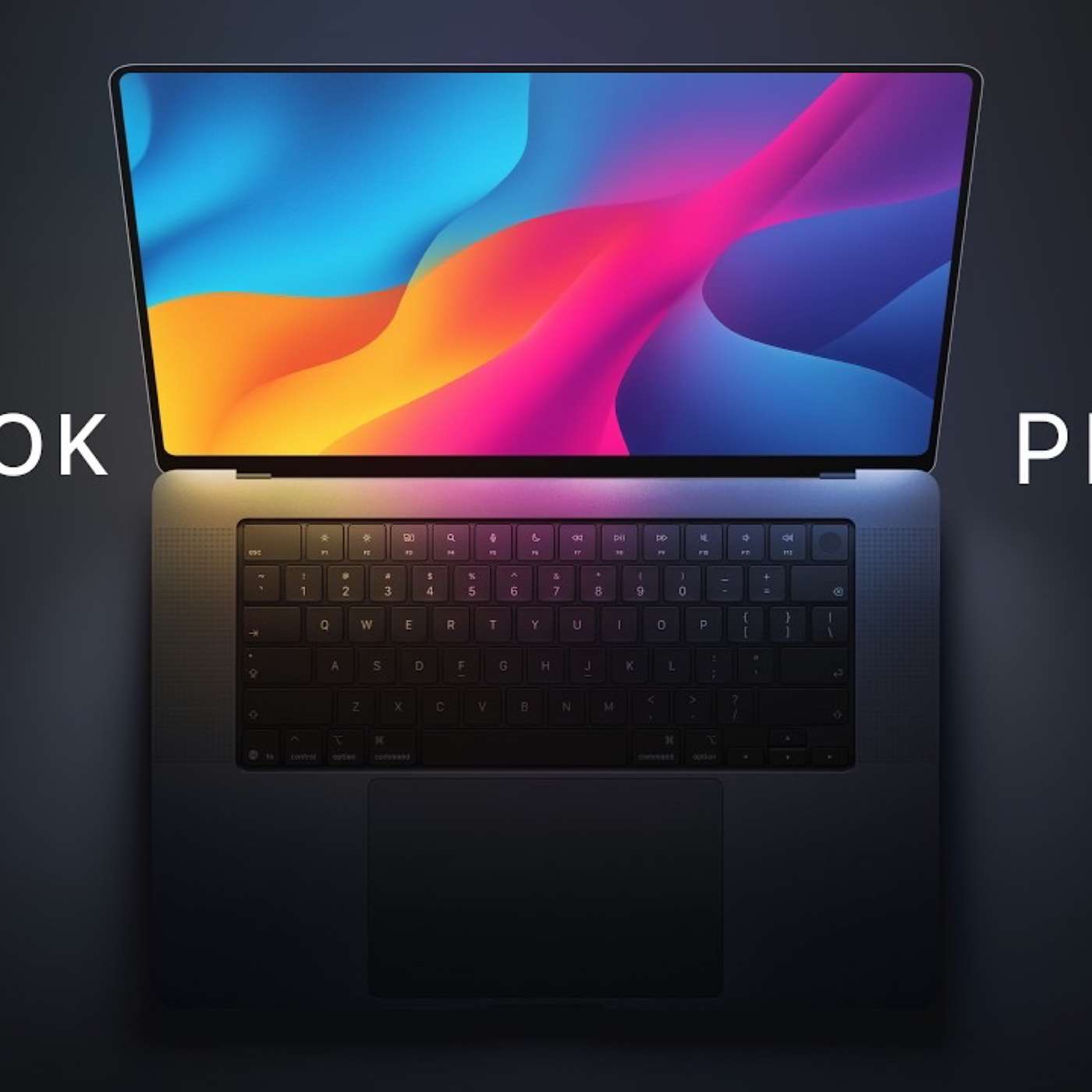
Welcome to Top 5 Tech, my weekly show about what to watch, listen to, read, download, and something deep every week. It was another huge week of Apple news and one of the biggest is the new touchscreen MacBook Pro. I'm going to link several videos, one from Marcus Brownlee, who was at the event. He had lots of hands-on time and thoughts in his video while to see a MacBook Pro with a touchscreen and people being able to interact with it.
So I'll link his video as well as Dave 2D, who was also at the event. He also talked about the touchscreen, how much it smudges. He has some video footage of that. what you can do with it, like editing in LumaFusion or Logic Pro with the touchscreen. I'd love to hear from you if a touchscreen MacBook Pro is something you've been wanting or you're excited to do something specific with it, so drop a five-star rating in Apple Podcasts and let me know, what would you do with a touchscreen MacBook Pro?
Also the glowing Apple logo is back on the touchscreen MacBook Pro, so that's a fun tidbit. It does start around $3,000 for the base model though, so this is one of the most expensive MacBook Pros you can buy, M5 Max, M5 Pro. We also talk about it at length on Primary Technology. and we're still at just a week.
since the iPhone duo launched, and I'm gonna link my video playlist. I've done five videos on the iPhone duo, kind of a daily vlog, my real-time thoughts. I shared lots of shortcuts, what I missed about my pro phone on one of the days. So I'll link this playlist and my full review of the iPhone duo is actually gonna be coming this weekend in the next couple of days as you're watching and listening to this podcast.
So get subscribed to my YouTube channel. Gonna be giving even more in-depth thoughts and what phone am I going to use as my daily driver this year. On what to listen to, Kevin Roose just authored a book, The A.G.I. Chronicle. That's Artificial General Intelligence, what all of these A.I. companies are striving for.
I'll link his book down in the show notes as well. I actually started listening to his audio book, but he's been on several interviews and I discovered that they now have a new podcast. He and Casey Newton, who were previously at the New York Times, have now gone out on their own but also partnered with NPR to launch Machine Gods, and it's all about A.I.
They talk at length about Anthropx IPO in their latest episode, but if you really want in-depth reporting and knowledge and information about everything going on with the AI labs like Anthropic, OpenAI, Google, Meta, all of that, this would be the podcast to listen to. I've added this to my playlist and I'm gonna be listening to it. You can also watch it in Apple Podcasts or YouTube. On what to read, a listener actually sent me this Wired article and this was someone who tried to work from iPhone Duo for an entire day using a external keyboard, having the iPhone Duo kind of propped up in cafes and working around. I'm gonna link the Apple News Plus article and if you have Apple News Plus you can read the Wired article without having to pay
for their specific paywall. you do have to. But it was really interesting to read about iPhone Duo kind of day in the life. Again, I'm going to be doing something similar in my iPhone Duo review, how it feels to use the iPhone Duo as your main productivity device for an extended period of time. But you can read about Julian's thoughts on the iPhone Duo at that link below. On what to download, I've launched yet another app. This is called Lookout and it's actually a dashboard for your Apple TV. So it's kind of an iPhone and Apple TV app combination. You download the app to your iPhone and then you and you can do things like customize.
You can customize what home devices you want to view on the dashboard, what cameras or other accessories like locks and door statuses. You can connect it to your reminders, your calendar, and it will also show you the weather. You can choose from several built in wallpapers or upload your own. And then on the Apple TV, you'll see a custom dashboard throughout the day.
And it's pretty cool. Me and David Sparks actually kind of did a competition to create two of these apps, and we talk about it in a bonus episode of Mac Power users coming soon. But you can get the Lookout app on your iPhone and Apple TV totally free. Right now it is in the App Store, so that link will be below.
And one other one to download, if you do have an iPhone Duo or you're just interested in what apps have been updating most recently for iPhone Duo, I've been keeping track of this web page. It is part of my VIVE-coded site with all my VIVE-coded apps. But I have apps that I recommend that I've been using and trying with iPhone Duo that are really nice.
And there's also a directory of apps that developers have been sending me. I've not tried all of these because there's now over 800 apps. But you can search, filter by category, search by date added, or... And you can see all the apps that have been updated for iPhone Duo. There's even an RSS feed right here at the top of the page.
If you'd like to just get a daily update where I send all the new apps and their prices with a link to the App Store via that RSS feed, and you can put that in your reader of choice. And finally, on something deep, Adam Massary, who's the head of Instagram and Threads-ish, I think, he was on the Colin and Samir show where he announced that Instagram is going to try and bring long-form video once again to the Instagram app.
And in this podcast, you can also watch it. on YouTube, but I'll link the audio version. He shows off what long form videos will look like in Instagram, like on the explore page, there'll be widescreen videos that take up two blocks of the grid that you see on that search page. And you might see a reel and then tap through and be able to watch a 20 minute or hour long video right there on Instagram.
And they're trying to get podcast creators. They want long form video creators. Now, if you remember, Instagram TV was a thing. There was actually a dedicated standalone app called to watch long-form video for Instagram. Now, being a separate app that never took off and has since died, but Instagram trying to do this long-form video, focus on creators doing podcasts and 20-plus minute content, again I think it shows how much this is a part of the creator economy, this long-form video. Every platform is trying to figure it out. Netflix is courting podcasters trying to get creators to the platform. YouTube, which is based on long-form video, now into the Emmys and highlighting creators like...
the Subway Takes type show. So I think it's interesting that Instagram is going to try and do this again. I'm not super optimistic that they're going to nail this. I think people go to Instagram to look at stories, scroll reels, maybe see some photos, but not necessarily to go and watch a long-form video. I will say Instagram released an Apple TV app, and I understand why would you ever want to scroll vertical videos on your Apple TV, but there is one use case, which I will typically save reels that I found funny or interesting that I want to share with and I will typically screen mirror my iPhone onto the Apple TV and scroll the reel that way. It's not a great experience, sometimes audio can be delayed, but that's how I've done it. Well now
there's actually right there on the home page of the Instagram Apple TV app a little button to look at your saved reels and you can click that and watch your saved reels on the Apple TV in the Instagram app rather than having to screen mirror. That's kind of a cool feature and one that I will probably be using personally, but let me know. You can reply to my newsletter and actually scan the QR code and sign up for it, totally free, gets delivered every Friday with all the links that I talk about right in your inbox, or leave me a five-star rating and review in Apple Podcasts.
And I'd love to hear, and I can give those a shout out in the next episode, would you watch Instagram on your TV or maybe your saved reels? Or like I asked earlier, what would you do with a touchscreen MacBook Pro? Let me know in your five-star rating and review in Apple Podcasts. Thanks so much for listening and watching. I'll catch you next time.